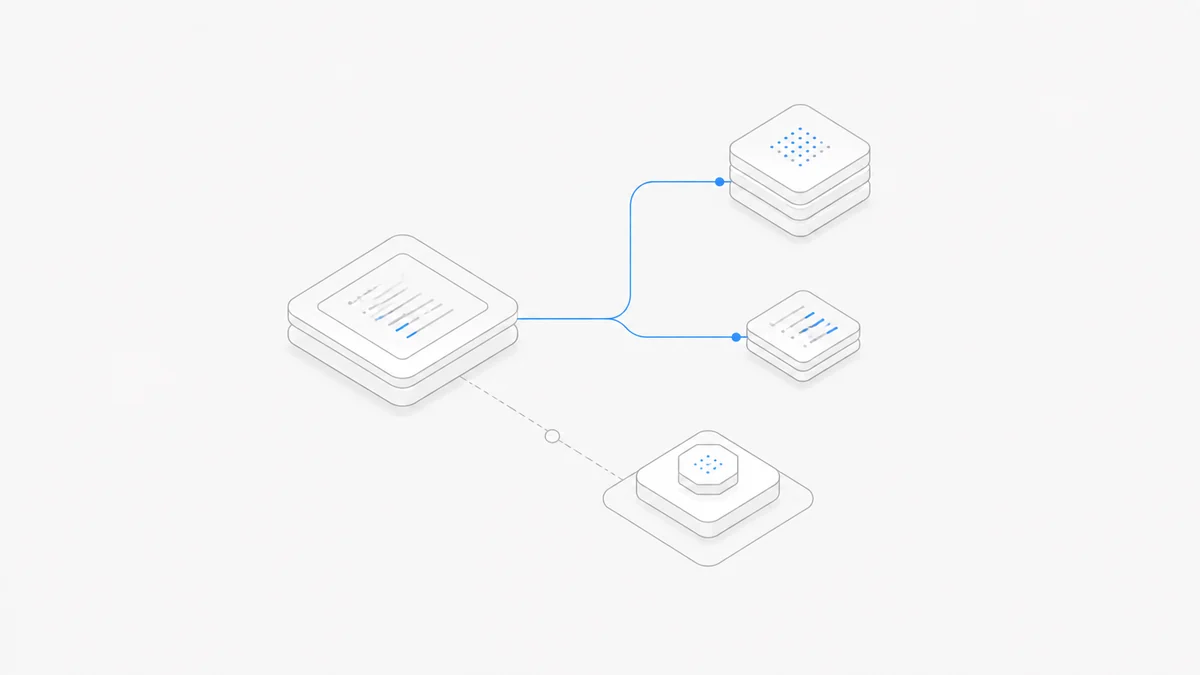
Claude Code does not have one universal price. Your active login or API credential determines which allowance or account pays. There are three billing paths to separate before comparing plans:
Claude Code access is included in Anthropic's paid plans, but “included” does not mean unlimited or that every organization contract includes the same usage. An ANTHROPIC_API_KEY can also take precedence over a subscription login and create API charges. Before a long task, check /status, /usage, Settings > Usage, and the Console or cloud account that owns the active credential.
Facts and prices verified September 10, 2026. Prices, taxes, annual terms, plan features, usage limits, model rates, regions, eligibility, and credit-expiration rules can change. Recheck Anthropic's linked pages and the live controls for the account that will receive the bill.
Editorial review: Agent.Space Editorial checked the official Anthropic pricing, Usage Credit, bundle, and Agent SDK notices cited below. This is not account-specific billing advice.
Claude Code plan prices at a glance
Anthropic's current pricing page lists these public US prices:
These are public list prices, not total-cost forecasts. Taxes, currency, purchase channel, negotiated terms, Usage Credits, and metered consumption can change the amount paid. A plan name also cannot predict a fixed number of prompts or completed coding tasks.
Path 1: Claude Code usage included with a paid plan
When you sign in to Claude Code with the same Claude identity used for an eligible paid plan, interactive Claude Code usage draws from that plan or seat's allowance. For Pro and Max, the allowance is shared with Claude across web, desktop, and mobile. Team and seat-based Enterprise usage follows the organization's seat tier and policy.
This route does not create a separate per-token API invoice while you remain inside included usage. Anthropic's Claude Code cost documentation notes that the session dollar figure shown to Pro and Max subscribers is not their bill; subscribers should use the plan usage bars instead.
The amount of useful coding work inside an allowance varies with the model, repository context, tool calls, parallel sessions, and task complexity. Max 5x and Max 20x describe capacity relative to Pro, not five or twenty guaranteed completed tasks.
Use /usage to see the live plan bars and activity information. Use /status to confirm the account and organization before assuming a request belongs to a subscription. The live usage page is also the source of truth for the current reset time; it should not be inferred from the plan name.
Path 2: Usage Credits after included usage
Usage Credits are optional pay-as-you-go spending attached to an eligible Claude plan or organization. Anthropic's Usage Credits guide says that, when enabled, they can keep supported Claude and Claude Code work running after included plan usage is exhausted.
The sequence matters:
- Included plan usage is consumed first.
- Claude warns as the limit approaches or is reached.
- If Usage Credits are enabled and available, continued supported usage is billed at standard API rates.
- The usage dashboard reports included usage and Usage Credit consumption separately.
Usage Credits are an extra charge, not a larger hidden subscription allowance. They do not turn the plan into unlimited usage, and they do not create a Claude Console organization or API key. Availability and controls vary by plan and organization, so check the live account rather than assuming the option is present.
Before enabling them, set a monthly spending cap, decide whether auto-reload is appropriate, and verify which surfaces share the balance. If you want to stay strictly inside the subscription price, decline paid continuation and wait for the included allowance to reset.
Usage bundles: prepay Usage Credits at a discount
Anthropic also lets eligible Pro, Max, and Team customers buy usage bundles. A bundle is not a new plan and does not replace included usage. The plan allowance is still used first; the bundle balance starts drawing down only after the plan limit is exceeded and the account continues through Usage Credits.
The official usage bundle guide currently lists three face-value options:
Anthropic says the resulting balance is one pool across Claude, Claude Desktop, Claude Mobile, Claude Code, Cowork, and third-party products that use the same Claude account. Individual Pro and Max subscribers can currently buy up to US$2,000 in discounted bundle value per month; Team Owners and Primary Owners can buy up to US$3,000. Supported use beyond those caps can still be billed at standard Usage Credit rates. These are current public terms, not permanent entitlements.
Expiration is jurisdiction-sensitive. Anthropic's Usage Credits FAQ says credits do not expire in most cases, but in certain jurisdictions—Japan is the named example—credits expire six months after purchase starting September 10, 2026. The Usage page shows any expiration date, and Anthropic says it sends an email seven days before expiration. Do not turn “most cases” into a worldwide no-expiration promise; check the account's own Usage page before buying a large bundle.
Path 3: Claude Console or cloud API billing
When Claude Code uses a Claude Console API credential, usage is billed at current API rates to the organization that owns that credential. Bedrock, Vertex AI, Microsoft Foundry, and other supported provider routes bill the corresponding cloud account under their own terms. This is a separate usage-based path, even if the same person also pays for Claude Pro or Max.
One common surprise is credential precedence. Anthropic's Pro and Max setup guidance warns that an ANTHROPIC_API_KEY environment variable can cause Claude Code to use that API key instead of the subscription login. Check the environment and /status before assuming included usage will pay.
For API users, /usage can show token totals and a locally calculated session estimate. The authoritative invoice and organization-level spend remain in the Console or cloud billing system. Define the key owner, workspace, spending limit, rate limits, and secret-handling policy before running automation or multiple parallel sessions.
Claude Agent SDK usage still draws from the subscription allowance
Anthropic previously announced a separate monthly Agent SDK credit, then paused that change. Its current Agent SDK plan notice says the proposed separation is not in effect: Claude Agent SDK usage, the non-interactive claude -p command, and third-party apps that authenticate through the subscription still draw from the subscription's usage limits.
That means you should not budget those workloads around the previously announced standalone monthly credit. Anthropic says that credit is not currently available. The old proposal remains visible lower on the help page only as historical reference, so reading the archived table without the update banner produces the wrong conclusion.
An Agent SDK workload authenticated with a Claude Platform API key is different: it continues under normal pay-as-you-go API billing. For shared production automation, keep the credential route explicit and use the Console or cloud bill as the authoritative cost record.
Fable 5.1 price is not automatically your Claude Code charge
A model can be available through more than one billing route. Seeing Fable 5.1 in a model picker does not by itself prove whether the next request uses included allowance, Usage Credits, or an API account.
The Claude Fable 5.1 model guide explains its API token and prompt-caching prices. Those rates matter when the active route uses API billing or Usage Credits; they should not be added on top of a plan as if every subscription request creates a second invoice.
For the separate CLI task—selecting Fable, choosing an effort level, and troubleshooting access—use the Fable 5.1 in Claude Code tutorial. Keeping the model and billing questions separate makes it easier to identify which setting actually needs attention.
Which Claude Code pricing path fits?
Lighter individual use
Start with Pro when its current allowance covers representative work. Measure completed, accepted tasks and interruptions instead of choosing only from the monthly price.
Sustained individual use
Compare Max 5x and Max 20x with the same repository task and acceptance criteria. Track limit interruptions, repair turns, elapsed time, and accepted results. The higher multiplier is useful only if the additional capacity changes the outcome enough to justify the price.
Team use
Compare Standard and Premium by seat allowance, administration, data controls, identity, and collaboration requirements. For Enterprise, separate the seat charge from metered usage and use the signed agreement rather than a public table for final budgeting.
Occasional overflow
If the subscription is otherwise a good fit, Usage Credits may be more appropriate than changing the core login. Confirm eligibility, current rates, and a spending cap before enabling them.
Automation or a separate project budget
Use an API credential only when work should be charged to a specific Console or cloud account. Treat that as a deliberate billing decision, not a fallback that silently inherits a personal subscription.
If a limit is already blocking Claude Code
Do not upgrade until you know which meter stopped the request. The Claude Code usage-limit recovery guide checks the exact message, /usage, /status, account, organization, model allowance, context, and API route before recommending a next step.
The practical diagnosis is simple:
- plan bars exhausted: wait, change plan, or deliberately enable Usage Credits;
- Usage Credits unavailable or empty: check eligibility, balance, and spend controls;
- API route blocked: check the credential owner's billing balance, workspace limits, and provider rate limits;
- unexpected API spend: inspect credential precedence, especially
ANTHROPIC_API_KEY.
Keep Anthropic billing separate from Agent.Space
An Anthropic plan or API account determines Claude Code authentication, Anthropic usage, and the Anthropic bill. Agent.Space provides separate Agent, model-access, Workspace, and commercial choices. It is not an Anthropic subscription, partner, reseller, shared login, or limit workaround.
If the decision is which Agent harness fits the workflow, use the Codex vs Claude Code guide. That is a product comparison; this page remains the pricing canonical.
The buying decision in one minute
- Run
/statusand identify the active account, organization, and credential route. - Check
/usageor Settings > Usage for included allowance, reset time, and Usage Credit consumption. - For individual work, compare Pro and Max with a representative accepted task.
- For an organization, budget seat terms and consumption terms separately.
- Enable Usage Credits only with a current-rate check and spending cap.
- Use an API key only when you intend to create a separate usage-based bill.
Then compare current Agent.Space plans and model pricing. If that independent product path fits, create an Agent.Space account and choose the paid option shown for your account.