All Agents

Provider · xAI

Grok Build

Run the Grok Build harness in the cloud

Use Grok Build for repository-oriented work inside a managed Workspace. Project files and completed output remain available for review or continuation instead of living only in one local terminal.

Use Grok Build in Agent.Space

01 · Harness or model?

Know which layer you are choosing

A

The Agent harness

Grok Build is xAI’s coding Agent harness. It coordinates project context, tools, file changes, commands, and verification around the selected model so a software task can move through a complete execution loop.

B

The model underneath

Grok Build is the terminal coding Agent harness. Grok models are the reasoning layer, while xAI’s separate web and mobile builder is another product surface. This Agent.Space page refers to the terminal harness, not the no-code builder experience.

02 · Two ways to run it

Native product or Agent.Space Workspace

Official route

Grok Build

xAI distributes Grok Build as a command-line coding Agent with interactive, headless, and ACP-oriented workflows. Running it natively means setting up the supported binary, authentication, repository environment, and vendor feature path yourself.
View the official Grok Build repository

Agent.Space route

Grok Build × Agent.Space

In Agent.Space, the Grok Build harness works against the shared persistent Workspace. Its output, files, and context can be inspected by people or handed to another Agent without manually moving the project between tools.
Use Grok Build in Agent.Space

03 · Task fit

Choose it for the work, not the logo

Good fit

  • Inspect a repository and make focused, reviewable code changes.
  • Prototype and iterate on bounded product or engineering tasks.
  • Run checks and prepare work that another teammate or Agent can continue.

Look elsewhere when

  • You want xAI’s web or mobile app-building surface, hosted publishing, or a no-code project flow.
  • Your task requires image input through the current Agent.Space Grok Build integration.
  • You need every upstream xAI feature or a fully self-administered machine and network environment.

04 · Current product boundary

What Agent.Space supports today

This page describes the current Agent.Space integration, not every feature the upstream vendor offers. The live Workspace controls remain the source of truth.
  1. 01

    The current Agent.Space integration accepts text input. It returns text in the Session and saves any project changes in Workspace files.

  2. 02

    This is the terminal coding harness route. Web or mobile builder features, publishing, and custom-domain workflows are not part of this page’s product promise.

  3. 03

    Models, tool connections, and controls are limited to what the live Workspace exposes; upstream additions do not imply immediate Agent.Space support.

05 · Workspace workflow
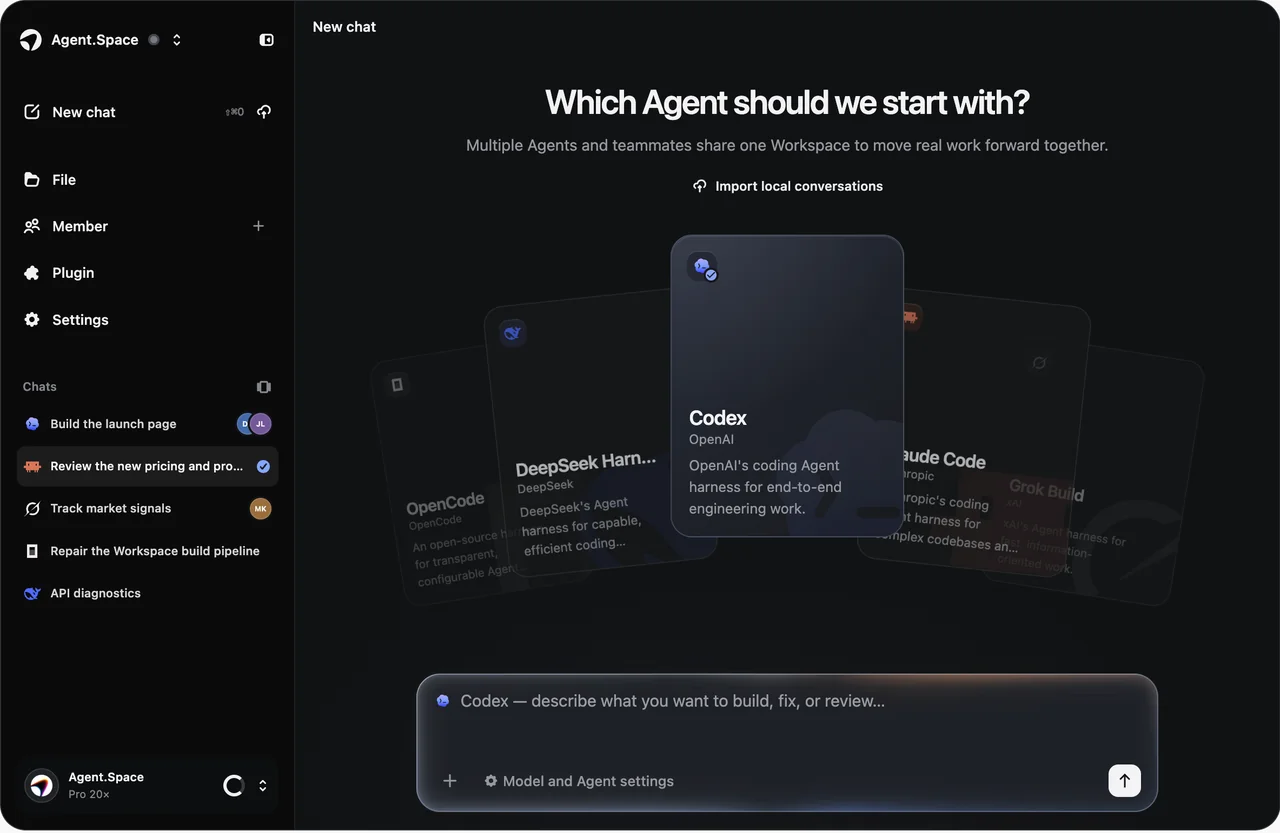
From a bounded task to a reviewable result

Use Grok Build for a concrete repository outcome: a change, investigation, or prototype that can be checked in the project files rather than judged only from chat output.
Agent.Space Workspace interface with the Agent selector, project navigation, and task composer
The shared Workspace keeps project files, Sessions, and review context together. Available Agents, models, and controls can change; check the live selector before starting.
  1. 01

    Open a repository Workspace

    Start from the project files and include the commands, conventions, or acceptance criteria that matter.

  2. 02

    Select Grok Build

    Choose the Agent, then select from the compatible model and connection options currently available.

  3. 03

    Request one testable outcome

    Ask for a focused implementation, diagnosis, or prototype and name the evidence you want back.

  4. 04

    Check the saved project

    Review files and results in the Workspace, refine the task, or hand the project to another supported Agent.

07 · Agent-specific FAQ

Questions to answer before you start

The practical differences that matter when choosing this Agent inside Agent.Space.

Start in one Space

Run Grok Build against a reviewable project

Use the terminal coding harness for a focused repository task and keep the resulting files ready for inspection, iteration, or handoff.