

All Agents

Provider · OpenCode

OpenCode

Run OpenCode in a managed cloud Workspace

Keep OpenCode’s open-source harness while moving the surrounding runtime and project state into a managed Workspace. Choose a compatible model separately and keep the result ready for review.

Use OpenCode in Agent.Space

01 · Harness or model?

Know which layer you are choosing

A

The Agent harness

OpenCode is an open-source coding Agent available across terminal, desktop, and editor workflows. It separates the Agent harness from the model provider and supports configurable tools, permissions, and project instructions.

B

The model underneath

OpenCode is an open-source Agent harness, not a model. It provides the coding workflow and provider connections; the selected provider and model supply the intelligence. Agent.Space manages that runtime choice inside the Workspace.

02 · Two ways to run it

Native product or Agent.Space Workspace

Official route

OpenCode

You can run OpenCode through its local CLI, desktop or IDE surfaces, or operate its server yourself. Self-managed use gives you more infrastructure control, but you own installation, credentials, storage, networking, upgrades, and recovery.
Read the official OpenCode docs

Agent.Space route

OpenCode × Agent.Space

Agent.Space runs the official OpenCode harness through its current integration in a persistent cloud Workspace. Files and results remain available to the team while models are selected independently and the same project can be shared with other Agents.
Use OpenCode in Agent.Space

03 · Task fit

Choose it for the work, not the logo

Good fit

  • Work across providers while keeping the Agent workflow explicit.
  • Plan, build, and review changes from the same project context.
  • Use configurable Agent and permission behavior for different tasks.

Look elsewhere when

  • You need root-level control over the host, network, storage, or every upstream OpenCode server setting.
  • Your workflow depends on an upstream plugin, provider, or feature that is not shown in Agent.Space.
  • You expect an OpenCode Go, Zen, or third-party provider subscription to be included automatically.

04 · Current product boundary

What Agent.Space supports today

This page describes the current Agent.Space integration, not every feature the upstream vendor offers. The live Workspace controls remain the source of truth.
  1. 01

    The current harness path accepts text and can accept images when the selected model and live Workspace controls also support image input. Session responses are text, while code changes remain in Workspace files.

  2. 02

    Build and plan behaviors are available through the current harness path, but model and provider choices are restricted to the live Agent.Space catalog.

  3. 03

    Agent.Space provides a managed Workspace experience, not a full OpenCode server administration console or a bundled upstream provider plan.

05 · Workspace workflow
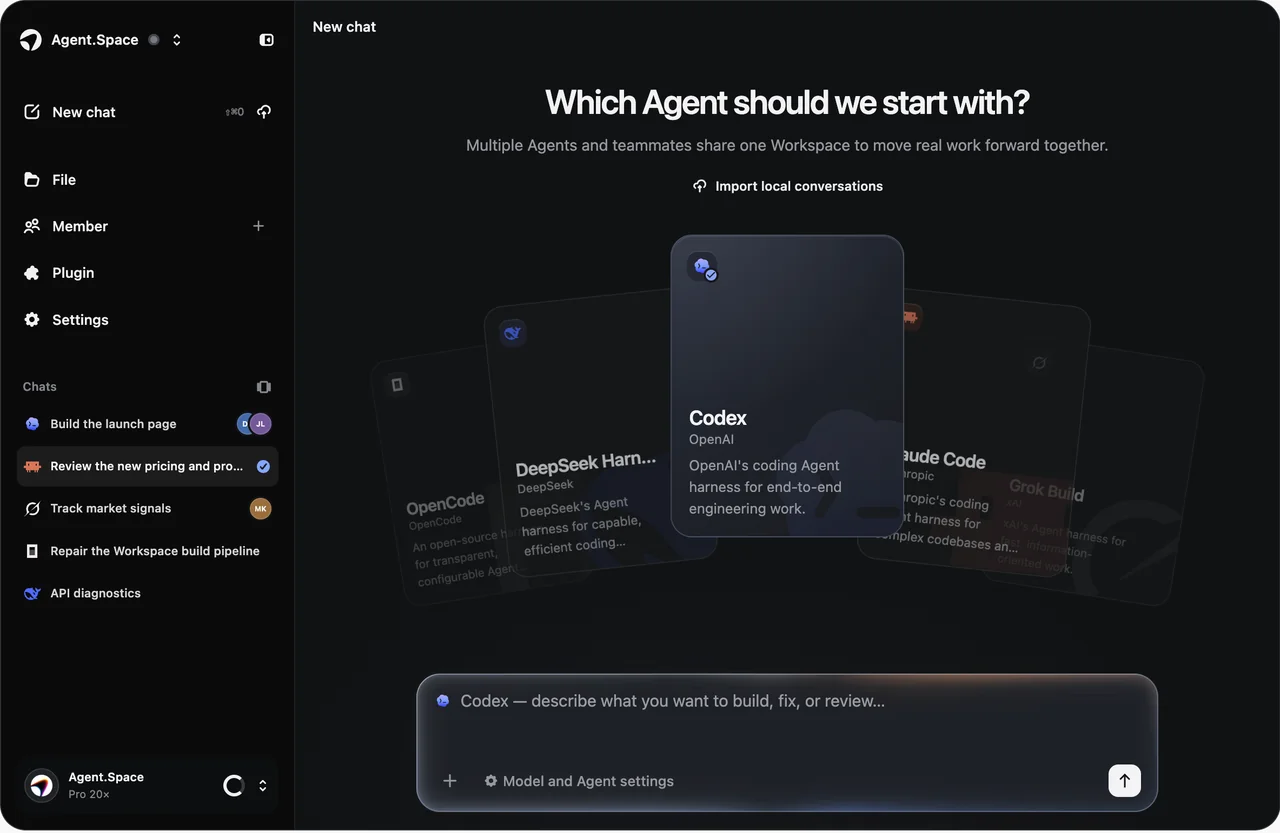
From a bounded task to a reviewable result

Choose OpenCode when you value an open-source harness and provider flexibility but do not want to operate the whole runtime. The Workspace remains the persistent project environment around each Session.
Agent.Space Workspace interface with the Agent selector, project navigation, and task composer
The shared Workspace keeps project files, Sessions, and review context together. Available Agents, models, and controls can change; check the live selector before starting.
  1. 01

    Bring the project into a Workspace

    Start with the repository, its instructions, and the files that define the task rather than rebuilding context in chat.

  2. 02

    Choose OpenCode and a provider path

    Select only from the models and connection options currently offered for OpenCode in Agent.Space.

  3. 03

    Plan or build

    Use the available mode that matches the job, then state the scope, constraints, and checks for the Session.

  4. 04

    Review without moving the repository

    Inspect the changed files and continue with OpenCode, a teammate, or another Agent in the same Workspace.

07 · Agent-specific FAQ

Questions to answer before you start

The practical differences that matter when choosing this Agent inside Agent.Space.

Start in one Space

Use OpenCode without operating the whole stack

Choose the supported provider path, run a scoped task, and keep the repository and review context in one persistent Workspace.