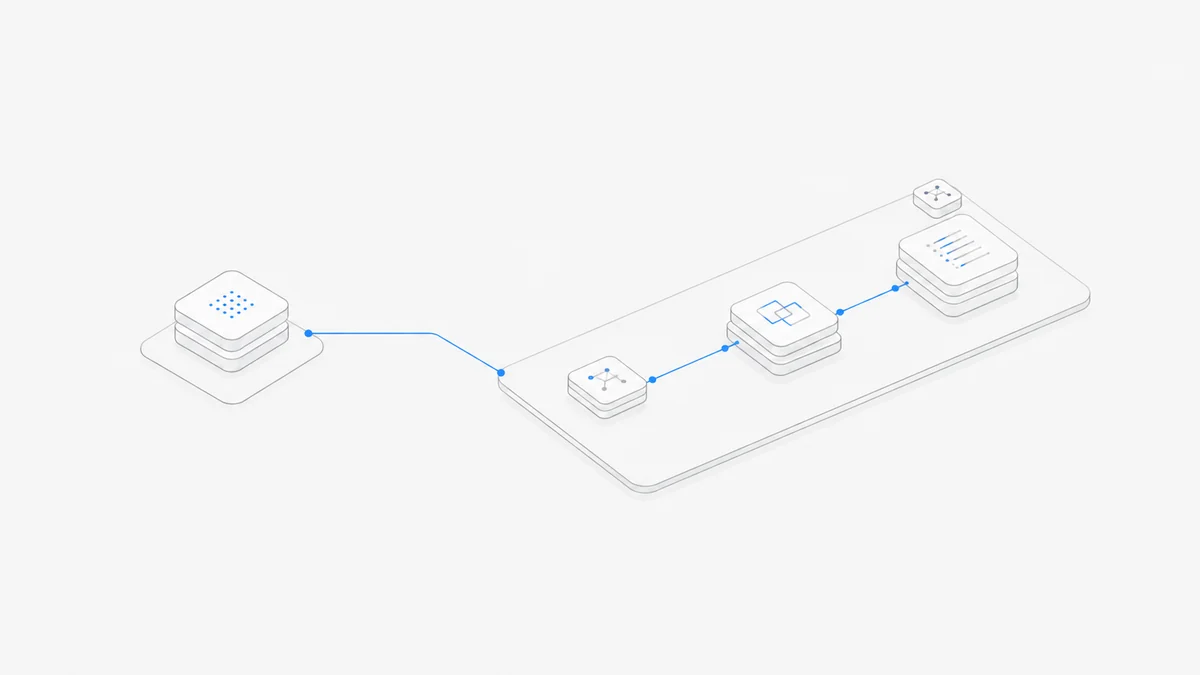
Codex vs GitHub Copilot is now a comparison between OpenAI's native Codex product system and GitHub's broader Copilot platform—not simply an agent versus autocomplete. Codex can appear through three distinct paths: directly from OpenAI, as a third-party coding agent selected inside GitHub Copilot, or as a supported harness in Agent.Space. Those paths may share the Codex name, but they do not share the same account, workspace, policy controls, or bill. The right choice therefore starts with who should own the repository workflow and usage, not with a generic quality ranking.
Last verified: September 11, 2026. GitHub's third-party coding-agent integration is in public preview. Plans, policies, supported agents, model availability, usage meters, and product surfaces can change. Recheck the linked official sources before purchasing or enabling a path.
First define what this comparison means
OpenAI describes Codex as a coding agent available across ChatGPT, an IDE extension, and the terminal. Its native product also supports cloud environments and multi-agent work in ChatGPT. The current OpenAI Codex overview is the source of truth for those surfaces.
GitHub Copilot is a larger GitHub product platform. The current GitHub Copilot overview covers inline suggestions, chat, command-line help, shared context, pull-request assistance, agent-driven research and planning, code changes, and pull-request creation across IDE, desktop, mobile, CLI, and GitHub surfaces.
That produces three different decisions:
- Use OpenAI-native Codex. Your Codex access, native surfaces, allowance, and optional API-funded use are governed by OpenAI.
- Use Codex inside GitHub Copilot. GitHub provides the Copilot plan, repository workflow, policy gate, agent session entry points, and usage meter for the integration.
- Use Codex in Agent.Space. Agent.Space provides its own account, plan, and cloud Workspace around the supported Codex harness. It is independent of both OpenAI and GitHub.
The short answer is: choose native Codex when the OpenAI Codex experience is the main product you want; choose Copilot when GitHub and IDE workflows, repository policies, reviews, and a multi-model or multi-agent platform are the center of the decision. If your paid Copilot plan exposes the Codex third-party agent and policy allows it, Codex can also be one agent inside Copilot—so this is not always an either-or purchase.
One distinction prevents a misleading comparison: a model shown in Copilot's general model picker is not automatically a model offered by GitHub's third-party Codex agent. The Copilot feature, selected model, and partner-agent workflow are separate layers.
Three Codex paths, three commercial owners
Do not compare the three paths as though they were interchangeable launchers for one shared subscription.
The first path is the direct OpenAI product. OpenAI's current Codex pricing page lists Codex across multiple ChatGPT plans and also distinguishes an API-key route. For a detailed breakdown, use the existing OpenAI Codex pricing guide rather than assuming one fixed task price.
The second path is a GitHub integration. GitHub's third-party coding-agent documentation lists OpenAI Codex as a supported agent, installs an openai code agent GitHub App when the partner agent is enabled, and records its actions in GitHub's audit log. That does not convert a Copilot subscription into an OpenAI-native Codex subscription.
The third path is an independent managed Workspace. Agent.Space separates the Agent harness, selected model, project files, and Workspace context. It does not inherit GitHub's Copilot policies or turn an Agent.Space payment into either a GitHub or OpenAI balance.
Why the GitHub platform changes the decision
GitHub Copilot should not be reduced to code completion. Completion remains one part of the product, but the purchase can also cover repository-centered work before and after code is typed.
The GitHub platform matters when your operating loop begins with an Issue and ends with a reviewed pull request. Copilot can participate in IDE and command-line work, organize context, create pull-request descriptions, research a change, plan it, modify code, and produce a pull request for review. For organizations, Business and Enterprise plans also add centralized plan and policy ownership.
The third-party agent path extends that repository loop. GitHub currently allows users to start coding-agent work from:
- the Agents tab;
- an assigned Issue;
- a mention in a pull-request comment;
- GitHub Mobile;
- a session in Visual Studio Code.
That is useful when GitHub is already the team's coordination boundary. An administrator can decide whether partner agents are available, repository activity remains visible in the GitHub workflow, and agent-produced changes return as pull requests.
This does not prove that Copilot produces better code than native Codex. It means GitHub owns more of the operating system around the task: repository entry points, policies, pull-request flow, audit evidence, and GitHub-side usage controls. Those are platform differences, not model benchmark results.
Recent model and governance changes that affect the choice
GPT-6 Astra is generally available in GitHub Copilot for Pro+, Max, Business, and Enterprise customers. GitHub exposes it through the general Copilot model picker across supported IDE, CLI, web, mobile, Copilot app, and Copilot coding-agent surfaces. That availability does not mean Astra is one of the models offered by GitHub's third-party OpenAI Codex agent; the partner-agent model list is separate.
OpenAI also documents an Astra path in its native ChatGPT Work and Codex guidance. Access depends on the applicable OpenAI plan, and the guidance requires Codex CLI v0.153.0 or later and the latest Codex desktop app. This is an OpenAI-owned access and usage path, not a Copilot allowance.
GitHub's enterprise managed permissions for Copilot agent operations are now generally available in the Copilot app, Copilot CLI, and VS Code Agent Host sessions. Administrators can centrally block, ask for approval, or allow shell commands, file reads and edits, and network domains; user, workspace, and saved approvals cannot weaken the managed restriction. Separately, GitHub's managed sandbox for Copilot in JetBrains is in public preview and adds centrally controlled filesystem, network, proxy, tool, and macOS Keychain boundaries for that surface. Teams should verify controls on the exact client they deploy rather than assuming one policy behaves identically everywhere.
These changes make model availability and governance more relevant to the purchase. They still do not prove that Copilot's agent output is better than native Codex, nor that GitHub's controls match an Agent.Space Workspace.
What the third-party Codex preview requires
As of the verification date, GitHub says third-party coding agents are available on paid Copilot plans and remain in public preview. Codex must also be enabled in the applicable personal, organization, or enterprise Copilot policies before it can be assigned on GitHub.
GitHub's current third-party-agent documentation lists these choices for the OpenAI Codex agent: Auto, GPT-5.3-Codex, GPT-5.4, and GPT-5.4 nano. That is the model list for the partner Codex workflow, not the broader Copilot model picker where Astra is available.
The preview has four practical consequences:
- Availability is policy-dependent. Seeing Codex in documentation does not mean every account or repository has it enabled.
- The entry point matters. GitHub's cloud-agent policy governs the GitHub-hosted assignment flow; local agents in VS Code have separate settings.
- Usage has two GitHub-side components. GitHub states that coding agents consume AI Credits based on model and token use, plus GitHub Actions minutes for their execution.
- Preview details can change. Supported agents, models, surfaces, restrictions, and controls require a release-day check.
Review the live Copilot plan comparison before paying. GitHub's current billing model gives each plan an AI Credits allowance, while additional agent use can become metered usage. GitHub also says code completions and next-edit suggestions remain outside AI Credits on paid plans. Therefore “Copilot costs X per month” is not enough to estimate an agent-heavy workflow.
GitHub's model and pricing reference explains that model choice and processed tokens affect AI Credits. Some features add a second meter: for example, Copilot code review can consume AI Credits for the model interaction and GitHub Actions minutes for agentic context gathering. The person, repository, organization, or enterprise that owns those resources may not be the same party that would own a direct OpenAI bill.
Choose an operating model before comparing prices
The most useful comparison starts with the system your work must fit into.
Choose OpenAI-native Codex when Codex itself is the product
Start here if you want the direct OpenAI experience across ChatGPT, the Codex app, IDE, or CLI and are comfortable managing its OpenAI account and usage path. This is also the cleaner comparison baseline when you want to evaluate Codex independently of GitHub Copilot's broader feature set.
Before paying, confirm the exact native surface you need, whether it is covered by the intended ChatGPT plan or API route, and which account owns the usage. Do not infer that an allowance in one surface automatically funds every other surface.
Choose GitHub Copilot when GitHub owns the workflow
Copilot is the stronger product fit—not a performance winner—when IDE assistance, GitHub Issues, pull requests, code review, repository policy, and organization billing need to sit in one GitHub-managed system. It can also reduce product switching if the team already uses Copilot for suggestions and chat and wants to add asynchronous agents under the same governance boundary.
If Codex is the agent you want, check whether the third-party preview is enabled before adding a separate purchase. Then test whether the GitHub integration exposes the surfaces, models, permissions, and task workflow your team actually needs. “Codex is available in Copilot” is not proof of feature parity with every OpenAI-native Codex interface.
If you are comparing GitHub's Claude integrations with Anthropic's standalone harness rather than with Codex, use the separate Claude Code vs GitHub Copilot guide.
Use both when the jobs are genuinely different
A person may use native Codex for local terminal or app work while a team uses Copilot for repository policy and pull-request review. That can be sensible if each purchase owns a distinct workflow. It is wasteful if the two plans fund the same tasks and nobody can explain which bill or platform is required.
Write down one representative task for each path. Record where it starts, who grants access, where files run, how results are reviewed, and which usage meter changes. This produces a more credible buying decision than comparing feature-count checklists.
Evaluate Agent.Space when the missing layer is a shared Workspace
Agent.Space is relevant when you want Codex and other supported Agent harnesses to work around persistent project files and context in one cloud Workspace. It is not the GitHub Copilot platform, and it does not replace GitHub's repository policies, audit system, Copilot code review, or organization plan.
Where Agent.Space fits—and where GitHub remains the owner
Agent.Space's current Codex product boundary is described on the Agent.Space Codex page: Codex keeps its harness workflow, the model is selected separately, and files plus project context remain available in the Workspace for review or handoff.
That makes Agent.Space a candidate when the decision is about:
- keeping project work in a persistent cloud Workspace;
- using a supported Codex harness alongside other supported Agents;
- preserving files and explicit task context for a person or another Agent to continue;
- choosing an Agent.Space commercial path independently from a GitHub Copilot seat.
GitHub remains the owner of GitHub-specific capabilities. If your acceptance criteria require Copilot organization policy, GitHub audit evidence, automatic Copilot code review, an Issue assignment flow, or GitHub Actions billing controls, verify and purchase those capabilities from GitHub. Agent.Space should not be presented as a substitute for them.
Likewise, Agent.Space pricing is a separate decision. Review the current Agent.Space plans against the Workspace and model path you intend to use; do not subtract an Agent.Space price from a Copilot or OpenAI bill as though the products share one allowance.
Check policy, billing, and workflow before you pay
Use this checklist for an individual purchase or a team rollout:
- Primary workflow: Does work begin in ChatGPT/Codex, an IDE, a GitHub Issue or pull request, or an Agent.Space Workspace?
- Commercial owner: Will OpenAI, GitHub, or Agent.Space own the account and usage balance for this path?
- Repository owner: Which system controls repository access, branches, pull requests, and review requirements?
- Policy gate: Does a personal, organization, or enterprise policy need to enable Codex or another Agent?
- Metering: Are tasks drawing from an OpenAI allowance or API project, GitHub AI Credits and Actions minutes, or an Agent.Space plan or balance?
- Required surface: Is the needed feature available in the exact app, CLI, IDE, browser, mobile, or cloud entry point you will use?
- Preview risk: Is a required workflow still in preview, and what happens if its availability changes?
- Team evidence: Where will the accepted diff, test output, review discussion, and task ownership remain visible?
- Duplicate spend: Does each paid product own a distinct job, or are two subscriptions funding the same workflow?
The bottom line
The current Codex vs GitHub Copilot decision is not “autonomous agent versus autocomplete.” OpenAI-native Codex is a direct Codex product path. GitHub Copilot is a wider GitHub and IDE platform that can also expose Codex as a third-party coding agent under Copilot policies and GitHub usage meters. Agent.Space is a third, independent path that places the supported Codex harness in its own cloud Workspace.
Choose the owner of the workflow first: OpenAI for the native Codex product, GitHub for repository-centered Copilot governance, or Agent.Space for its independent Workspace and plan. Then verify the exact surface, policy, preview status, and bill before purchasing. None of those facts establishes a universal speed, quality, security, or cost winner.
Start Codex in Agent.Space if a persistent Workspace and an independent Agent.Space path match the job you need to run.