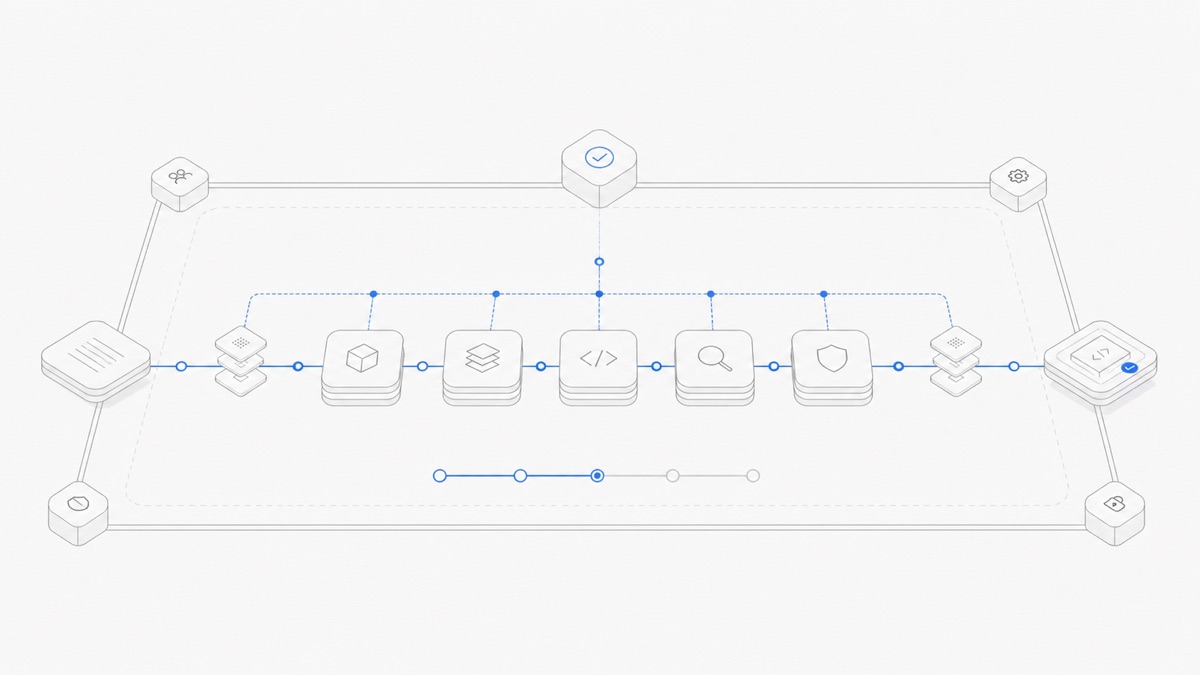
DeepSeek Harness is an open-source agent harness from DeepSeek AI. Its defining idea is that an agent’s models, tools, skills, sessions, sandboxes, storage, loops, scheduling, and interface can all be composed as plugins.
That makes DeepSeek Harness interesting for developers who want to understand or customize the software layer around a model. It also creates an important expectation: the experience can differ depending on how those plugins are assembled.
If you are evaluating DeepSeek Harness through Agent.Space, use DeepSeek’s official materials to understand the upstream project, then use the current Agent.Space product interface and product materials to confirm what is actually offered there. The DeepSeek Harness Agent page is the product entry point; this article does not assume that every upstream mode or feature is available in a hosted experience.
What DeepSeek Harness is
DeepSeek Harness is the software layer that helps a model operate as an agent. DeepSeek summarizes the relationship as:
The model supplies generation and reasoning. The harness supplies the surrounding operating loop: it gives the agent access to an environment, exposes tools, maintains session state, coordinates repeated steps, and presents results to the user.
This distinction matters when choosing an agent. DeepSeek Harness and a DeepSeek model are related products, but they are not the same layer. A harness can be designed to work with different model connections, while the models available in a particular product depend on that product’s current compatibility and availability.
For a concrete example of changing the model layer without treating it as the harness, see how to use DeepSeek V4 Pro as a Codex model backend.
For a fuller explanation, read Agent harness vs model.
Why “everything is a plugin” matters
DeepSeek Harness is built on the Cordis plugin system. According to the official project page, plugins provide the major agent capabilities, including:
- models;
- tools and skills;
- sessions and storage;
- sandboxes;
- agent loops and scheduling;
- the user interface.
This design separates capabilities that are often bundled together inside a coding agent. A developer can configure, replace, or extend one capability without rewriting the entire harness.
The benefit is composability. A team can create a focused setup for coding, testing, benchmarking, or experimenting with agent behavior. The tradeoff is that a feature shown in one setup is not automatically present in every other setup. The active plugin composition determines the real experience.
That is especially important while the project remains in developer preview. The official GitHub repository says the project is iterating rapidly and that compatibility-breaking changes should be expected. Treat current behavior as evolving, and check the official documentation again before relying on a particular workflow.
As verified on September 11, 2026, the newest upstream pre-release is dsh-v0.1.5-rc.2, published September 10. The substantial 0.1.5 changes are in RC1—including Session V3, changed default tools, richer file workflows, and SDK/plugin migrations—while RC2 adds two small UX refinements. The DeepSeek Harness 0.1.5 release guide explains the upgrade checks. This upstream version does not establish which version or capabilities Agent.Space currently exposes.
What “traceable runs” means
DeepSeek also presents traceability as a core design principle. Its official overview says that the information shown to the model—such as prompts, reasoning, tool calls and results, subagent scheduling, and context injection—is recorded in an append-only session log.
The project’s Trajectory view is designed to make that event stream inspectable. Resume, fork, search, and replay operate on the same session history in the official experience.
This can be useful when you need to understand how an agent reached an outcome rather than reviewing only its final answer. For example, a trace can help a developer inspect which tools ran, where context entered the session, and how the task changed over time.
These are upstream DeepSeek Harness capabilities. When using any hosted implementation, confirm the controls and views that the current product interface actually exposes.
The official runtime modes
The official DeepSeek Harness overview describes several runtime modes for different jobs:
These modes show why the plugin architecture is useful: the same harness can be composed around different goals. They should not be read as a promise that every product using DeepSeek Harness exposes every mode.
Mode names and details may also change during the developer preview, so use the current official overview as the reference.
How to try the upstream project
DeepSeek provides two official starting paths:
- Install Node.js and launch the Web UI with
npx @deepseek-ai/dsh web. - Clone the official DeepSeek Harness repository and follow its source-install instructions.
The Web UI starts locally by default. Before entering credentials or granting tool access, review the current setup instructions and decide what files, commands, and external services the harness should be allowed to use.
Because the project is a developer preview, begin with a small, reversible task. Keep the working directory limited, ask for an explicit result, and inspect the resulting changes before expanding the scope.
How to evaluate DeepSeek Harness in Agent.Space
Agent.Space separates the choice of an agent harness from the choice of a model. To assess DeepSeek Harness there, use this simple sequence:
- Open the current Agent.Space Agents page and product interface.
- Confirm that DeepSeek Harness is shown as available for your account and workspace.
- Review the models, controls, tools, and limits presented in that interface.
- Start with one narrow task whose output you can inspect.
- Treat the current interface and product materials as the source of truth for the hosted experience.
Do not infer availability from the upstream project alone. An upstream feature, mode, or integration may require separate product support before it appears in Agent.Space. Likewise, a compatible model choice should be confirmed in the current product interface rather than assumed from the harness name.
The Agent.Space Workspace overview explains the surrounding workspace concept. Exact DeepSeek Harness behavior should still be judged from the options and guidance shown in the current product experience.
DeepSeek Harness is not the DeepSeek model
The harness name and model name share a brand, but they are different layers.
DeepSeek Harness supplies the loop, plugins, tools, state, and interfaces. A model supplies generation and reasoning. Agent.Space can present an Agent choice separately from a model choice, and the current product interface shows which choices are available together.
That means neither of these claims is safe:
- “DeepSeek Harness always runs a DeepSeek model.”
- “Any model can run in DeepSeek Harness on Agent.Space.”
The first ignores configurable model connections. The second ignores real compatibility constraints. Only combinations shown in the current product interface should be treated as available.
A practical first-task checklist
For a first evaluation, choose a task with:
- one clear objective;
- a small set of files;
- an explicit output format;
- a validation step you understand;
- no destructive operation;
- a result that can be reviewed before it is accepted.
For example, asking an agent to explain a small module and propose a test is easier to assess than asking it to redesign an entire application. A bounded task helps you evaluate reasoning, tool use, and output quality without making the experiment unnecessarily risky.
The practical DeepSeek Harness workflow turns this checklist into a repeatable prepare, delegate, verify, and preserve sequence for one controlled task.
Who should try it now—and who should wait
DeepSeek Harness is especially relevant if you:
- want to study a modern plugin-composed agent architecture;
- care about inspecting how an agent run unfolds;
- want different runtime compositions for different tasks;
- are comfortable testing software that is still in developer preview.
You may want a more mature option if you need long-term compatibility guarantees, depend on one fixed workflow, or cannot accommodate changes to preview-stage behavior.
Before upgrading a preview installation, review the DeepSeek Harness 0.1.5 release and migration checks, especially Session V3, changed tool defaults, custom plugin contracts, and the safety limits that still apply.
The key takeaway
DeepSeek Harness is not simply another model. It is a composable operating layer for agents, built around plugins and traceable sessions. Its flexibility is the main attraction, while its developer-preview status means users should verify current documentation and start with controlled tasks.
For Agent.Space, the rule is straightforward: learn the upstream concepts from DeepSeek’s official sources, but rely on the current Agent.Space interface and product materials for hosted availability and behavior. If DeepSeek Harness is available for your workspace, review the available Agents and begin with one small task you can inspect end to end.