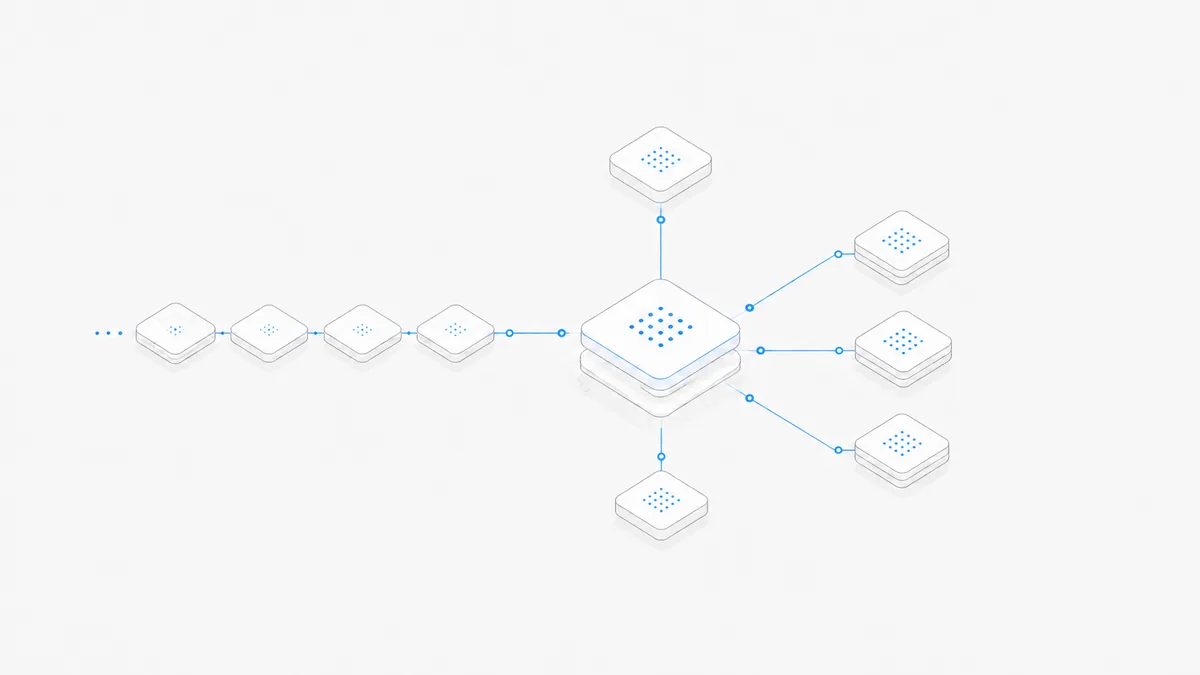
Using GPT-6 Astra in Codex requires more than knowing the model name. Four things must line up: OpenAI's rollout must have reached the account or workspace, that workspace must permit the model, the Codex client must be new enough, and the authentication route must have usable allowance or API access.
OpenAI introduced Astra on September 3, 2026 and began with a limited set of organizations before expanding access. The company says Codex CLI 0.153.0 or later is required. That minimum does not mean every account running 0.153.0 will see Astra, and buying credits does not move an account forward in the rollout.
This guide shows how to verify the route, choose reasoning effort, understand plans and limits, and diagnose a missing model without claiming that all Codex accounts—or Agent.Space—already support Astra. Facts were checked against OpenAI's official documentation on September 7, 2026.
The four gates to GPT-6 Astra access
Treat availability as a chain. A failure at any gate can produce the same symptom: Astra does not appear or cannot start.
The official Astra access guide describes a gradual rollout across Plus, Pro, Business, Enterprise, and API surfaces. Availability can differ between Chat, Work, and Codex even on one account. Use the live picker as current evidence; an announcement or eligible plan is not proof that a specific workspace has already received the model.
If you need Astra's broader release, context, price, and coding-agent fit first, read the GPT-6 Astra coding-agent overview. This page stays focused on Codex access and operation.
Once model access is working, use the AGENTS.md and skills cleanup guide to check whether old instructions cause unnecessary reading, repeated verification, or premature stopping.
A 90-second verification in Codex CLI
Run this check before changing configuration or buying credits.
1. Verify the client version
The minimum in OpenAI's current help article is 0.153.0, but that is not the same as a complete Astra catalog experience. OpenAI's Codex changelog says 0.153.1 added Astra API configuration without adding it to the picker or changing the default; 0.153.4 fixed bundled-model picker visibility and made Astra the bundled default when no model was explicitly set. Use 0.153.4 or later, ideally the latest patch, if you expect those recorded picker and default fixes. In the desktop app, install the current update rather than assuming the CLI version describes the app.
2. Verify how Codex is authenticated
This separates two billing and access paths:
- ChatGPT sign-in: plan eligibility, workspace policy, included Work/Codex allowance, and eligible credits apply.
- API key: the API project's model permission, spend limit, rate limit, and API bill apply.
Changing the model cannot repair an account or API-project restriction.
3. Check whether Astra is actually offered
When the account is eligible, OpenAI's Codex model documentation supports starting a session with:
Inside Codex, use /model to inspect the current model choices and /status to verify the active model, context, and usage state. These commands are better evidence than assuming the launch flag succeeded silently. If Astra is absent from the picker, continue with the troubleshooting layers below instead of repeatedly forcing the model ID.
4. Select an offered reasoning effort
Use /model and choose from the reasoning values offered by the current client and account. Astra's API specification supports low, medium, high, xhigh, and max, and does not support none. A specific Codex surface may expose a subset or change the defaults, so the current control is more reliable than a copied configuration snippet.
5. Run one bounded task
Start with a small task that has a deterministic check: inspect a known module, explain a failing test, or propose a patch without applying it. Confirm the model with /status, inspect the result, and watch the usage surface. Do not begin with a repository-wide migration merely to prove the model can launch.
For a complete workspace flow after choosing Codex, use the practical Codex on Agent.Space guide. Its live Agent and model selector—not this article—determines which combinations Agent.Space currently exposes.
Choose reasoning effort by task
Higher reasoning effort is not a quality switch that should remain at maximum. It generally gives the model more room to deliberate, which can increase latency and allowance consumption. The useful setting is the lowest level that reliably passes the task's acceptance checks.
These are starting hypotheses, not OpenAI guarantees. Preserve the same prompt, tools, permissions, code baseline, and tests when comparing efforts. Record total elapsed time, usage, repair turns, and reviewer corrections. A max-effort run that produces a correct answer in one pass can be economical; a max-effort run on a trivial rename can be pure waste.
OpenAI's Astra model page defines the API-supported effort values. The choices visible through /model show what the current Codex session actually offers. Do not confuse those two contracts.
Plans, credits, and API-key billing
ChatGPT sign-in
When Codex is signed in through ChatGPT and Astra is available, use comes from the included Work/Codex allowance. OpenAI says full or limited access varies by plan, and Astra may consume allowance faster than a less expensive model depending on input, output, reasoning effort, task shape, and Fast usage.
After included usage is exhausted, some eligible accounts can purchase or use credits. OpenAI's credits guide states that availability varies by plan, account, and region. Credits are separate from API credits and are normally used only after included plan usage. Most importantly, purchasing credits does not provide early access to Astra.
API-key route
With an API key, Codex uses the OpenAI API project rather than a ChatGPT allowance. Model access, organization verification where required, spend limits, rate limits, and the Astra API rate card all matter. A ChatGPT plan does not pay this bill, and unused Work/Codex credits do not become API credit.
If the goal is to use Codex without relying on a ChatGPT subscription, see the Codex access-path guide. It explains the route decision; it does not bypass model permissions or rollout.
What to monitor during a test
Whichever route you use, record:
- active model and reasoning effort;
- input, cached input, output, and any service tier shown;
- number of agent turns and retries;
- whether the acceptance checks passed;
- total time and any manual repair.
That is more useful than asking how many generic “messages” Astra provides. Agentic tasks vary too much in context, output, tool use, and reasoning to make one message count portable across repositories.
Experimental notes and searchable history
OpenAI announced an experimental Codex context-management mode alongside Astra. Instead of repeatedly compressing all prior context into one summary, it can use notes and searchable history to retain details across context windows. It is designed for longer-running work, but it is experimental, off by default, and not a universal Astra feature.
The current Codex configuration reference identifies the setting as features.context_management.experimental_mode and says it requires ChatGPT sign-in on Plus, Pro, or Pro Lite. A valid TOML form is:
The Codex 0.153.0 release further describes the initial experimental path as unavailable to API-key sessions, custom providers, and temporary structured threads. That release established the experimental context-management foundation; it should not be read as the version that delivered the later Astra picker and bundled-default fixes. Eligibility and behavior can change in later releases, so check the current configuration reference before enabling it.
Use this mode as an aid, not as the only copy of a critical decision. Keep durable requirements, accepted architecture choices, migration state, and safety boundaries in repository or project files that teammates can review. Searchable history can help recover context; it does not make implicit decisions auditable or guarantee perfect recall.
Why GPT-6 Astra may not appear
Troubleshoot from the outside in. Reinstalling or buying credits before identifying the failing layer wastes time.
Layer 1: client and surface
- Confirm Codex CLI is at least 0.153.0 with
codex --version. - Use 0.153.4 or later, ideally the latest patch, when you need the changelog's bundled-picker visibility and default-model fixes. Version 0.153.1 added API configuration but did not yet put Astra in the picker or change the default.
- Confirm whether you are testing the CLI, desktop app, IDE, cloud, or another surface; rollout and updates can differ.
Layer 2: authentication
- Run
codex login status. - Confirm the intended ChatGPT account, workspace, or API project is active.
- Do not assume a browser subscription and a terminal API key share a balance.
Layer 3: rollout and workspace policy
- Inspect
/modeland the current picker. - Check whether the selected workspace administrator has enabled the model.
- Remember that an eligible plan can still be waiting for gradual rollout.
Layer 4: model selection and session state
- Try a new bounded session with
codex -m gpt-6-astraonly after the model appears eligible. - Use
/statusto verify the active model and usage state. - If the model falls back or errors, record the exact message instead of inferring the cause.
Layer 5: allowance and credits
- Check the plan usage page for included Work/Codex allowance.
- Check whether credits are available for the account and region.
- Do not buy credits to solve a rollout or workspace-policy problem.
Layer 6: API project controls
If using an API key, check model permission, organization/project selection, rate limits, spend limits, and billing status. A model-picker issue in ChatGPT is not the same problem as a rejected API request.
Layer 7: transient service errors
After the first six layers are clean, compare the exact error with OpenAI's current status and documentation. Save the version, authentication mode, surface, time, and error text before escalating. That evidence is actionable; “Astra does not work” is not.
When Astra is worth it in Codex
Astra is a strong candidate when the task combines several of these conditions:
- the answer depends on evidence spread across many files or tools;
- the work will continue across a long session or several handoffs;
- the repository is unfamiliar and the plan itself needs careful validation;
- a failed implementation or repeated repair cycle costs more than additional model usage;
- the task has clear tests, review criteria, and permission boundaries that can expose whether stronger reasoning helped.
It is less compelling for a deterministic rename, a small copy edit, a routine format change, or any task where a cheaper compatible model already passes the checks reliably. It is also the wrong choice when the account lacks access, the workflow cannot tolerate the latency or allowance use, or the model is being selected only because it is new.
Use a controlled comparison rather than intuition. The coding-agent model selection guide shows how to hold the harness, code state, prompt, permissions, and tests steady while measuring accepted-result cost.
FAQ
Already using Astra and seeing unfinished tasks or an unexpected quality change? Our September quality investigation separates OpenAI's acknowledged issues from user reports and model-routing speculation.
Which Codex version supports GPT-6 Astra?
OpenAI's current help article requires Codex CLI 0.153.0 or later. The changelog says 0.153.1 added Astra API configuration without picker/default changes, while 0.153.4 fixed bundled-picker visibility and set the bundled default. Use 0.153.4 or later, ideally the newest patch.
Why is Astra missing even though I have an eligible plan?
Eligibility is only one gate. Gradual rollout, workspace model controls, selected account, client version, and product surface can all affect visibility. Buying credits does not accelerate rollout.
Which reasoning effort should I use?
Start with the lowest offered level that reliably passes the task's checks. Low or medium is a reasonable experiment for bounded work; high, xhigh, or max may be worth testing on difficult, ambiguous work. Do not assume maximum is always better.
Do Astra credits work with an API key?
Work/Codex credits and API billing are separate. ChatGPT sign-in uses the applicable plan allowance and eligible credits; an API-key session bills the API project.
Does Agent.Space already support GPT-6 Astra?
This article makes no such claim. Agent.Space separates the Agent harness from the model route, and compatibility can change. Open Agent.Space and use its live selector as the final source of truth for the combinations available now.