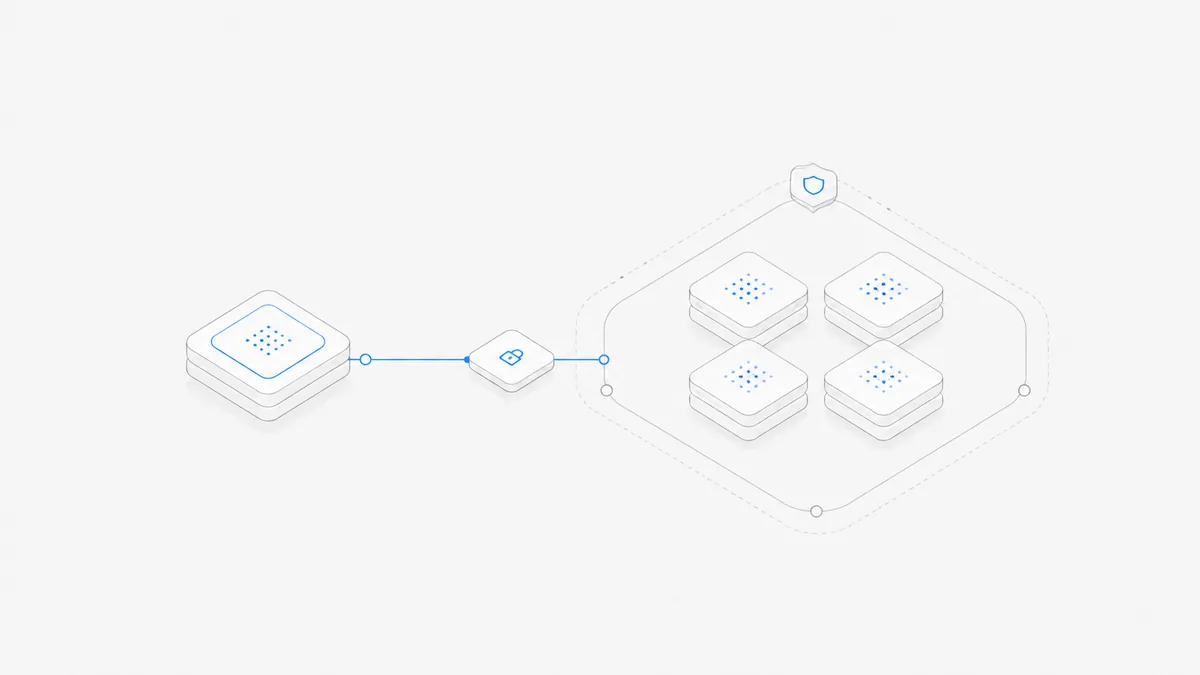
Cursor Self-Hosted Machines moves a Cloud Agent's tool execution to a machine you operate. It does not move the whole Cursor service on premises: Cursor still runs the agent loop, inference, and planning in its cloud, while your worker edits files, runs commands, and uses local tools.
Choose it when a written policy requires the checkout and tool execution to stay inside your perimeter, the task needs internal services that a managed environment cannot reach, or you need special hardware, an operating system, or persistent local state. Choose Cursor-managed Cloud Agents when those constraints do not apply and you would rather not operate a worker fleet.
This guide is based only on Cursor's official changelog and documentation, checked on September 4, 2026. It explains the product boundary and selection criteria; it is not a security audit, cost benchmark, or performance test.
What Cursor changed on September 2
Cursor announced Self-Hosted Machines on September 2, 2026. The release expanded the places where Cursor Cloud Agents can execute their tool calls without changing where Cursor runs the agent itself.
The product now separates three runtime choices:
- Cursor-managed Cloud Agents run in Cursor-managed virtual machines.
- My Machines connects a laptop, devbox, or virtual machine to one user's account.
- Team Pools route a team's requests to available workers in an organization-managed fleet.
Cursor also announced dynamic pool scheduling, hibernation and reconnect behavior, support for several infrastructure and sandbox providers, and computer use on Linux and Mac workers. Those capabilities make the feature relevant to more than a single developer leaving a laptop online. They do not remove the operational responsibilities of running the underlying machines.
The key change is therefore not “Cursor can finally run locally.” Cursor already has local editor workflows. The change is that a Cloud Agent session can keep Cursor's cloud orchestration while sending terminal, file, browser, and other tool actions to infrastructure you manage.
What is self-hosted—and what is not
Cursor's Self-Hosted Machines documentation describes a split architecture:
This is a hybrid execution model, not a fully self-hosted Cursor stack. The worker connects outward over HTTPS, and Cursor sends tool calls through that connection. Cursor says no inbound port, public IP, or VPN tunnel is required for this path.
That boundary is also different from operating an entire Agent SDK and orchestration service yourself. The managed-agent versus self-hosted Agent SDK guide explains the broader runtime-ownership decision. Cursor Self-Hosted Machines retains Cursor's agent loop and product experience while moving a narrower execution layer.
What stays on your machine—and what still reaches Cursor
“Tool execution stays in your network” should not be read as “nothing leaves your network.” Cursor's official documentation makes a more precise distinction.
The full checkout, build cache, and machine-local credentials remain on the worker. During a run, however, the worker sends Cursor the content the agent needs to plan and continue the task. Cursor lists examples including file contents, terminal output, diffs, screenshots, local MCP results, and routing metadata. If desktop sharing is enabled, the worker also streams the agent desktop.
Cloud Agent artifacts such as screenshots, videos, and log references are uploaded to Cursor-managed storage so they can appear in pull requests and the dashboard. Cursor documents an option to prevent those artifact uploads by blocking the artifact-storage endpoint, but the tradeoff is that the artifacts no longer appear in those product surfaces.
The practical security question is therefore not simply “Is it self-hosted?” Ask instead:
- Which files and commands remain on the worker?
- Which content must Cursor receive for the Agent to plan the next action?
- Which tool output might contain a secret?
- Which artifacts are uploaded and retained?
- Which identities can start, inspect, or control a session?
Use the coding-agent workspace security checklist to review isolation, roles, credentials, permissions, and recovery as separate controls. Neither a managed VM nor a self-hosted worker proves that every allowed command is safe.
Cursor-managed Cloud Agents vs Self-Hosted Machines
Both options use Cursor's Cloud Agent experience. The meaningful differences are execution ownership and the work required to keep that execution reliable.
Cursor's official runtime selection guide recommends managed Cloud Agents for most teams. That recommendation matters because self-hosting is not a badge of technical maturity. It is useful when control over the execution location solves a requirement that managed networking, secrets, and environment controls cannot solve.
Choose Self-Hosted Machines when the location is a requirement
The additional infrastructure is usually justified in four situations.
A policy requires the checkout and tools to stay inside your perimeter
Some organizations have a written control that repository checkouts, build outputs, or command execution must remain on approved hardware or networks. A self-hosted worker can satisfy the execution-location part of that requirement.
It does not automatically satisfy the full policy. The Agent still receives content through Cursor's cloud, so security and compliance reviewers must approve the complete data path rather than only the worker's address.
The Agent needs resources available only on your network
A worker can use the same internal package registries, source-control credentials, test services, or local MCP servers that the machine can reach. This can be simpler than exposing every resource to a managed VM.
Cursor also documents private-connectivity options for managed Cloud Agents. Compare those first. If managed networking reaches the required systems without violating policy, operating a self-hosted fleet may add cost without adding a meaningful capability.
The task needs special hardware, operating systems, or durable local state
A Mac for iOS work, a GPU host, a custom operating-system image, or a very large persistent build cache can make your own worker the natural execution target. The same is true when recreating the environment for every managed session is slower or less reliable than maintaining a known host.
Persistent state creates its own risks. A reused machine can accumulate stale files, credentials, processes, or cross-task contamination. Define cleanup and reset behavior before treating persistence as an advantage.
Your platform team can operate the worker lifecycle
Team Pools require more than installing a CLI. Somebody must own capacity, worker updates, image hardening, monitoring, failed jobs, secrets, cleanup, autoscaling, and incident response. Self-hosting fits when that operational surface is already a deliberate platform responsibility.
Choose managed Cloud Agents when operations are not the product
Stay with Cursor-managed Cloud Agents when the managed environment can reach the repository and services, standard compute is sufficient, and the team does not have a requirement to own execution hosts.
This is often the clearer path for small teams. Cursor operates the VM lifecycle and execution capacity, while the team focuses on repository access, environment setup, secrets, network policy, task review, and product-level recovery. Those responsibilities remain important, but they do not include maintaining a fleet of workers.
Managed execution can also be the safer organizational choice when nobody is explicitly responsible for patching and resetting shared hosts. “Runs on our machine” is not a control unless the machine has an owner, a hardened image, bounded credentials, logs, capacity limits, and a recovery plan.
My Machines or Team Pools
If self-hosted execution is justified, choose the smallest operating model that fits.
My Machines is the sensible proof-of-concept path for one engineer and one low-risk repository. Team Pools are an infrastructure product inside your organization. Cursor can route requests and preserve the Cloud Agent interface, but your team owns the machines that make the pool real.
Before moving from one box to a pool, measure startup time, task duration, failure rate, disk growth, worker utilization, cleanup time, and the human effort required to recover a failed session. Those measurements reveal the operating cost better than the number of supported deployment integrations.
Do not confuse three different decisions
Cursor Self-Hosted Machines answers where Cursor Cloud Agent tools execute. It does not by itself answer which coding Agent product, runtime architecture, or collaborative Workspace your team should use.
- If the decision is Cursor versus another coding Agent or editor workflow, use the Codex vs Cursor comparison and compare the complete task loop.
- If the decision is whether to build and operate an Agent runtime, compare a managed Agent service with a self-hosted SDK instead of treating a Cursor worker as a general-purpose runtime.
- If the requirement is a managed place where supported Agent harnesses work against persistent project files, read how Agent.Space works as a separate product path.
Agent.Space does not claim to provide Cursor Self-Hosted Machines, a Cursor worker pool, or a fully self-hosted equivalent. A managed Workspace can be the simpler choice when infrastructure control is not the goal; a self-hosted worker can be the correct choice when execution location is a hard requirement. Neither conclusion establishes a universal security, performance, or price winner.
A preflight checklist before you connect a worker
Answer these questions with the security, platform, and development owners before using a production repository:
- Boundary: Does policy require only tool execution to stay local, or must prompts, file contents, outputs, and inference also remain inside the perimeter?
- Identity: Which user or service account registers the worker, and what repositories and services can its local credentials reach?
- Isolation: Is each task given a clean environment, or can one session observe files and processes left by another?
- Egress: Which Cursor endpoints and artifact uploads are allowed, logged, or blocked?
- Secrets: Can terminal output, screenshots, diffs, or local MCP results expose credentials to the session record?
- Capacity: What happens when every worker is busy, disconnected, hibernating, or unhealthy?
- Recovery: Can a failed or cancelled task leave a repository, database, or external service in a partial state?
- Cost: Does the estimate include worker compute, storage, networking, patching, monitoring, and on-call effort as well as model usage?
- Review: Which changes require a human approval before they affect shared or production systems?
Start with one bounded, reversible task and a non-production credential set. Inspect the network path, session record, tool output, artifacts, cleanup, and recovery—not just whether the code change completed.
The core choice is simple: use Self-Hosted Machines when owning the execution location solves a concrete requirement; use managed Cloud Agents when operating that location would only recreate infrastructure. If your actual goal is to try supported coding Agents in a managed project Workspace, start with one task in Agent.Space and evaluate that workflow on its own boundary.