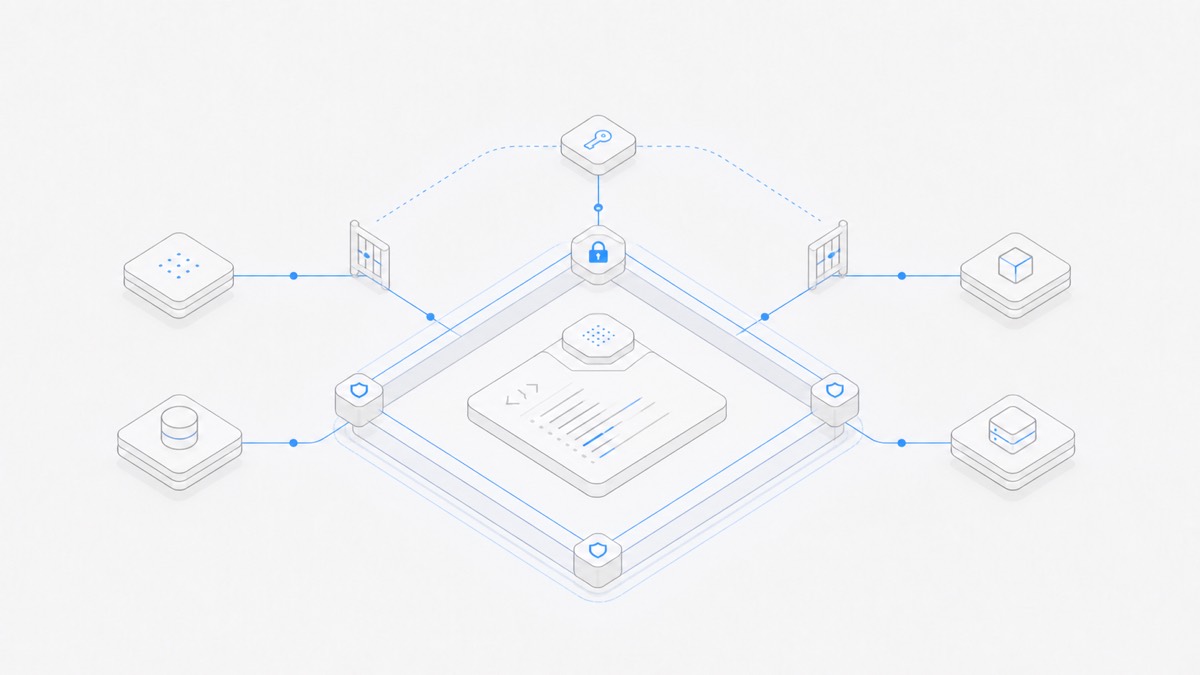
Coding agent workspace security is not one switch. It is a set of boundaries: isolation between projects, membership roles inside a project, credentials available to the runtime, permissions granted to the Agent, and the review and recovery process around every change.
Each layer solves a different problem. An isolated Workspace does not prove an Agent command is safe. A Viewer role does not protect a secret already committed to the repository. An approval prompt does not make an approved patch correct. A secure workflow starts by assigning each risk to the control that can actually reduce it.
Use a layered security model
The table below separates the main controls in a coding-agent environment.
Do not collapse these into the word “sandbox.” A sandbox is an execution boundary. It remains only one part of the full trust model.
What Agent.Space Workspace isolation covers
As verified against Agent.Space product copy and the Workspace contract on August 28, 2026, the product describes these boundaries:
- projects, files, and Sessions run in a Workspace environment separated from other work;
- only the owner and invited members can access the Workspace context according to their role;
- teammates do not exchange upstream accounts or login passwords to use supported service access;
- code, files, and results stay in ordinary directories and standard formats that can be exported;
- task data is used for the requested Agent work rather than advertising.
These statements define the product boundary. They are not a claim of absolute security, a substitute for reviewing a provider's current terms, or evidence of a compliance certification that is not explicitly documented.
The Workspace also has one current file state. Multiple Agent Sessions can work in it, but Agent.Space does not promise a private branch for each Session, hidden file versions, automatic conflict resolution, or implicit rollback. Isolation from other Workspaces is different from isolation between writers inside the same Workspace.
Apply least privilege to team members
Membership controls which people can act inside the Workspace. Use the smallest role that supports the job.
- Owner: manages roles, removes members, manages invitations, and can transfer the single Workspace ownership.
- Editor: can modify files and create or continue Agent and Session work.
- Viewer: can inspect shared context and authorized Previews, but cannot modify files, Agents, Sessions, or membership.
A read-only reviewer should normally begin as a Viewer. A collaborator who must change the project needs Editor or Owner capability. Review access again when a project changes phase, a contractor leaves, or a member no longer needs write access.
The Workspace roles and permissions guide explains the operational differences before you create an invitation.
Role boundaries reduce accidental and unauthorized changes by members. They do not constrain what an already authorized Agent process can do with credentials or tool permissions available inside its runtime.
Treat API keys as independent security boundaries
An API key connects the task to another service or funding source. Its reach can extend beyond the current file tree, so manage it separately from Workspace membership.
Agent.Space's Developer API interface supports creating, naming, revealing, rotating, and revoking keys. Sensitive secret operations require the current account to reauthenticate. The connection guidance says to keep the full key in a server-side or local environment variable, never in browser code or a project repository.
Use this lifecycle:
- Create a purpose-specific key. Use a name that identifies the environment or integration rather than a person.
- Store it outside project content. Do not paste it into source files, prompts, screenshots, test fixtures, or shared notes.
- Limit the surrounding environment. A key kept in an environment variable is still available to processes with access to that environment.
- Rotate after uncertain exposure. Replace the credential when it may have appeared in a log, transcript, or unintended file.
- Revoke when the integration ends. Removing a key that is no longer required is safer than keeping it for possible future use.
Follow the Agent.Space Developer API guide for the current connection path and key-handling instructions. Do not infer that an API key inherits the membership permissions of the Workspace in which it was discussed.
Constrain Agent permissions and untrusted input
A coding Agent can encounter instructions in repository documentation, issue text, copied webpages, dependency output, test fixtures, and generated files. Treat that material as data to evaluate, not automatically as an instruction with the same authority as the user's task.
Prompt injection is one example of this broader risk: untrusted content attempts to redirect the Agent, request secrets, expand scope, or trigger external actions. Runtime isolation can contain some effects, but it cannot determine whether the new instruction matches the human's intent.
Use practical controls:
- begin with the smallest file, command, network, and external-directory access the task needs;
- require a human decision before destructive, publishing, credential, infrastructure, or production-data actions;
- separate read-only review jobs from editing jobs;
- avoid placing production credentials in a general development environment;
- inspect the target, account, and rollback path before approving a command;
- stop when a file or tool output asks the Agent to ignore the original scope or expose confidential data.
Harness-specific permissions still matter inside a managed Workspace. For one concrete model, see how OpenCode uses allow, ask, and deny. The exact controls differ by Agent harness and version, so inspect the effective configuration rather than relying on a product name.
For Anthropic's harness, use the Claude Code permissions and sandboxing guide to apply the same principle to deny, ask, allow, and the Bash sandbox.
Keep files reviewable and recoverable
Ordinary files and export support make project output portable, but portability is not the same as history or rollback.
Use version control for source projects when appropriate:
- start from a known revision;
- keep changes bounded and inspect the diff;
- separate unrelated work;
- run validation against the final combined state;
- commit only reviewed files;
- keep a recovery path for the exact data at risk.
Remember that version control normally covers tracked files, not every running process, database write, cloud mutation, credential exposure, or external API action. High-impact side effects need their own preview, approval, backup, or recovery mechanism.
When exporting a Workspace result, check that the files required to reproduce the work are present. Do not assume an export contains hidden Agent reasoning, external service state, ephemeral processes, or every secret the runtime once used.
Review the security boundary before the first task
Before giving a coding Agent access, answer these questions:
Project and runtime
- Does the Workspace contain only the project this task needs?
- Are sensitive unrelated files outside the reachable environment?
- Which processes or services can the runtime contact?
People and roles
- Who is the Owner?
- Which members actually need Editor access?
- Can reviewers complete their job as Viewers?
- Is there a plan to remove access when the work ends?
Secrets and external systems
- Which API keys, repository tokens, databases, and deployment accounts are reachable?
- Are development and production credentials separated?
- Can each credential be rotated or revoked quickly?
Agent actions
- Which reads, edits, commands, and network actions are allowed?
- Which actions require explicit approval?
- Which operations are completely outside the task?
Evidence and recovery
- What diff, Preview, tests, or logs will prove the result?
- What cannot be rolled back automatically?
- Who accepts a security-sensitive change?
If the team cannot answer one of these questions, narrow the task or environment before starting. Do not compensate for an unclear boundary with a more confident prompt.
Respond to a suspected exposure
If a secret, sensitive file, or unintended action may have been exposed:
- stop the affected Agent work and prevent further external actions;
- revoke or rotate the relevant credential instead of merely deleting it from the visible file;
- preserve the minimum logs and diffs needed to understand what happened without spreading the secret further;
- check repository history, shared transcripts, build output, screenshots, and external systems that may contain copies;
- restore from a known state where possible and rerun validation;
- adjust the role, permission, environment, or review gate that allowed the exposure.
Deleting a secret from the current file does not invalidate copies in history or logs. Credential revocation is the control that ends future use.
Decide whether the Workspace boundary fits the task
Agent.Space is designed for supported Agent harnesses working with persistent project files, Sessions, Previews, and invited collaborators in isolated Workspace environments. It can reduce setup and account-sharing friction while keeping the project's current state visible.
It may not fit work that must remain on infrastructure you exclusively operate, requires a certification or control not documented by the product, or depends on unsupported tools and model combinations. Provider terms, repository permissions, deployment systems, and your own data rules still apply.
Review Agent.Space security and trust boundaries, then begin with a bounded, reversible task and non-production credentials. Confirm isolation, member access, Agent permissions, validation, export, and recovery separately before increasing the task's reach.