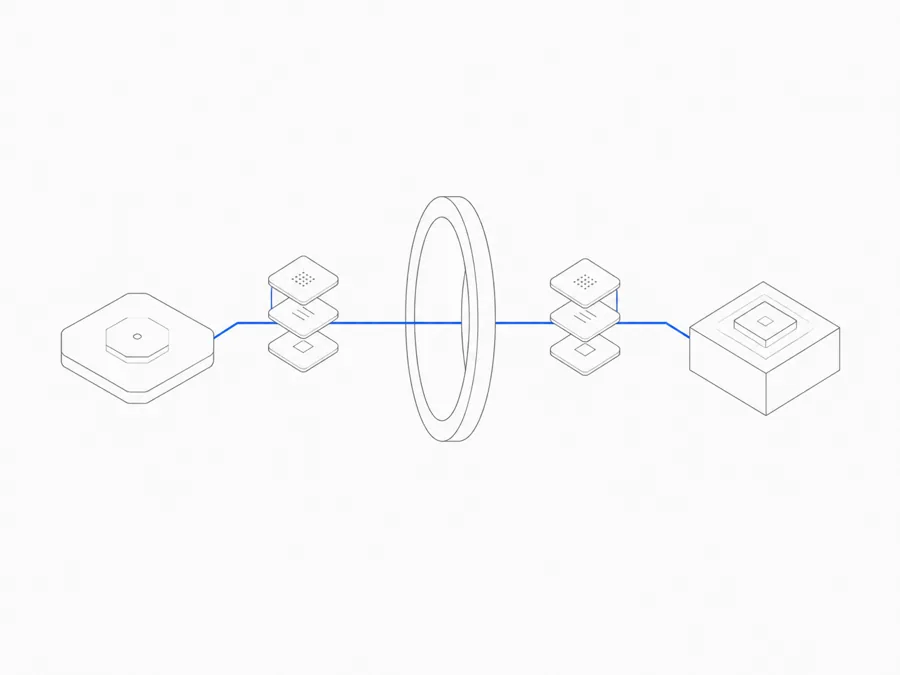
An Agent can finish a task and still leave the next person starting over. The latest files may be on one machine, decisions buried in a conversation, and the Preview open somewhere else.
Agent.Space gives that work one durable place to continue. It combines model access with a cloud Workspace where supported Agent harnesses can work—each in its own Session—against the same saved project files. Sessions, Previews, and explicit team context stay together in the Workspace. Change the Agent, and the project does not have to restart.
The Agent is not the Workspace
Understanding how Agent.Space works starts with separating five layers that are often compressed into the word “Agent.”
These layers stay distinct. Choosing a different model does not automatically change the harness workflow, and not every model works with every harness. The live Agent and model selectors are the source of truth for currently supported combinations.
If the commercial-access layer is the immediate decision, the Share vs Flex comparison explains which models draw from each option and why the two balances do not automatically cover each other.
For a deeper explanation of the boundary between the reasoning layer and the execution layer, read Agent harness vs model.
An editor-to-agent protocol sits around this product stack rather than replacing any layer. Understanding the Agent Client Protocol boundary helps avoid mistaking a client integration for a model, Session, or Workspace capability.
A Turn can finish while its Session and project remain. To change from one Agent harness to another, start a new Session in the same Workspace. The new Session can inspect the current saved files and the handoff notes your team deliberately preserved, but it does not silently inherit another Session’s conversation or hidden reasoning.
What happens after you start a task
Start with one Workspace and a bounded outcome: fix a known defect, build a specific page, review a defined change, or produce a concrete document.
First, choose one of the available Agents and a compatible model. The Agent works inside a Session against the Workspace’s ordinary file tree. Its output can remain with the project as source code, research, documents, or other files instead of disappearing into a private chat transcript.
As work progresses, people can inspect those files and open supported output in the Inspector or a browser Preview. If a Session is busy, later requests remain visible in its Queue. Other Sessions in the Workspace can continue in parallel.
Persistence here means that successfully saved project files remain when the cloud Runtime stops. It does not mean every process runs forever in the background. Reopen the Workspace later and the saved project state is still available; restart whatever execution the next step requires.
A handoff should continue the project, not reconstruct it
Imagine a team preparing a product launch.
A product lead adds launch-brief.md, research, and brand assets to a Workspace. They start a Codex Session with a bounded request: update the launch page against that brief and run the relevant checks.
Codex changes the files in the shared project tree. The team reviews the result with the brief and Preview in view. A marketer leaves concrete feedback, and a second Session uses Claude Code to inspect the same implementation against the same source material.
The useful handoff is not a claim that Claude Code can see Codex’s private reasoning. It is the inspectable state the team chose to preserve: the brief, current files, rendered Preview, test output, decisions, and open risks. The next participant can continue from evidence instead of rebuilding context from memory or passing around a zip file.
When the work is ready, the team can publish a stable web version or download the resulting files in their existing formats.
Bring the right Agent to the project
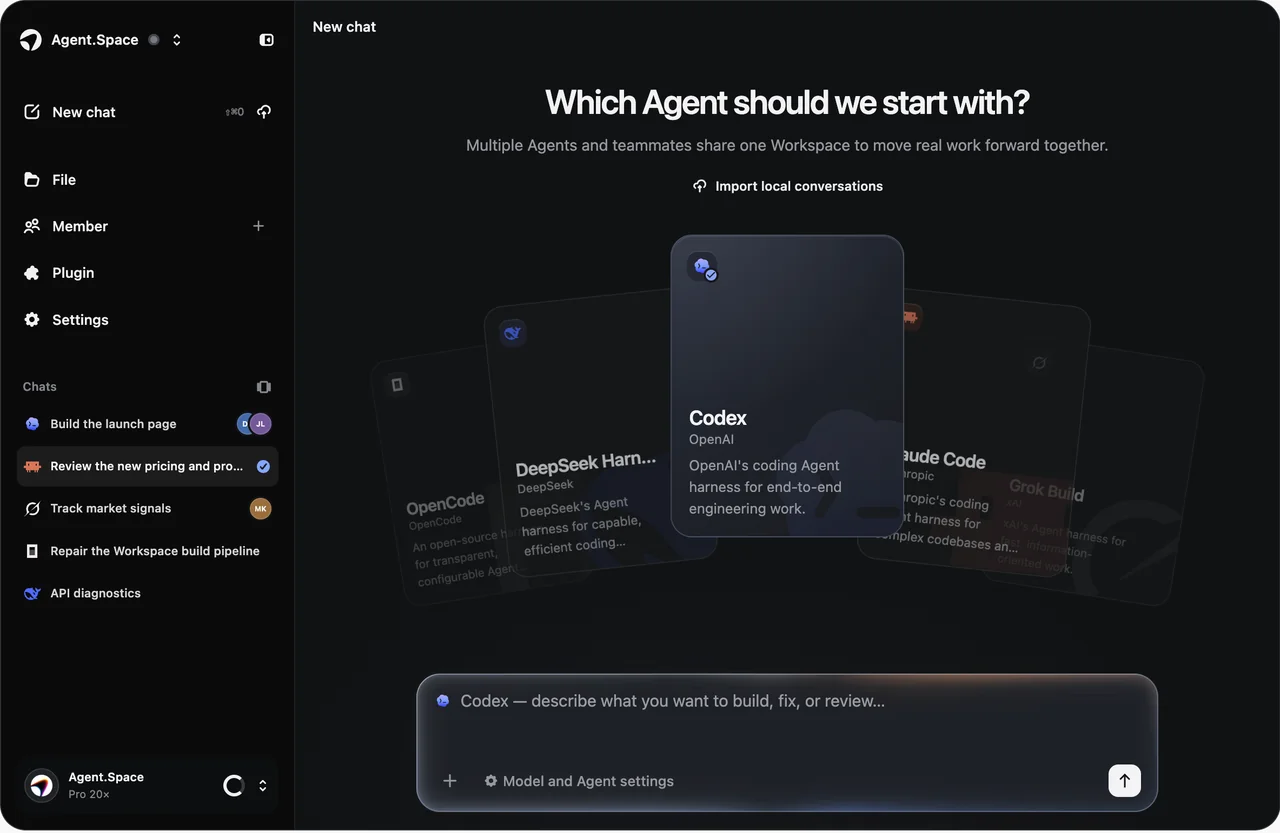
Different tasks call for different Agent harnesses. As of August 26, 2026, Agent.Space publicly lists:
- Codex
- Claude Code
- Grok Build
- OpenCode
- DeepSeek Harness
DeepSeek Harness is currently experimental, and availability, compatible models, and supported input types can vary by harness. Check the live selector before committing a workflow to a particular combination.
Each Session keeps a clear Agent boundary. One Session might ask Codex to build a feature. A second might ask Claude Code to review the changed files. A third might use OpenCode for a focused repair. The Agent changes; the shared project state remains in the Workspace.
This makes the Workspace the stable center of the workflow. The Agent harness is a participant in the project, not the container that owns the project.
Parallel work still needs deliberate coordination
Opening more Agent windows is easy. Coordinating their changes is the harder problem.
Agent.Space allows multiple Sessions in one Workspace to run in parallel while working with one current file state. People can see the files, Sessions, Queues, and progress in a common place instead of collecting status messages from disconnected tools.
That shared center does not replace project discipline. Agent.Space does not create a private branch for every Session or automatically merge conflicting changes. Teams still need to divide ownership, keep tasks bounded, review the current files, and use version control when the project requires history or rollback.
The multi-Agent coding workflow guide turns those constraints into a practical sequence of ownership, handoffs, review, and integration.
Shared does not mean uncontrolled
A shared Workspace needs an explicit access boundary. Agent.Space uses membership roles to separate what teammates can do:
- Owners and Editors can modify shared files and continue Agent work.
- Viewers can inspect the shared context without changing the project.
- Owners manage invitation links and Workspace ownership.
Access is limited to the owner and teammates who join through an owner-managed invite link. Agent.Space also keeps projects in separate Workspace environments, does not require teammates to exchange upstream account credentials, and lets users export ordinary files and results. Read more about the product’s security and membership controls.
For the exact difference between Owner, Editor, and Viewer access, use the Workspace roles and permissions guide.
What Agent.Space adds—and what stays upstream
Agent.Space is an independent product. It is not an official OpenAI, Anthropic, xAI, DeepSeek, or OpenCode product, and it is not a shared-account or account-resale service. It is also unrelated to the former Google product with a similar name; the Google Agentspace vs Agent.Space comparison explains that distinction and where Google Agentspace went.
Agent.Space provides the cloud project boundary: supported Agent and model selection, Workspace files, Sessions, Previews, team membership, and a common place to start and continue work. The upstream provider still determines the model’s capabilities, the harness’s core behavior, provider-specific terms, and features that exist only in its native interface.
When you need model access inside a local coding Agent or server integration instead of a cloud Workspace, the Agent.Space Developer API guide covers that separate route.
That boundary matters when evaluating the product. Agent.Space does not make every harness identical, guarantee every model-and-harness pairing, or reproduce every upstream UI feature. Its value is the durable working environment around the supported tools.
Who Agent.Space is for
Agent.Space is most useful when the Workspace solves a real coordination problem:
- You want different supported Agent harnesses to work against the same saved project files.
- You need a task to resume across sittings without rebuilding its project environment.
- A teammate needs to review or continue work from explicit, inspectable artifacts.
- You want to choose an Agent harness and compatible model separately.
An official harness may be simpler if you only use one Agent and need its complete native interface or newest upstream feature. A local setup may fit better when execution must stay on infrastructure you control. An unsupported model-and-harness pairing requires another supported route, such as an official or self-managed setup.
Start with one real task
Do not begin with a complete migration. Put one bounded, reversible task in a Workspace. Check whether the supported Agent and model combination fits, whether the files and Preview are easy to inspect, and whether another Session or teammate can continue from the state you deliberately preserved.
That test explains how Agent.Space works better than a feature checklist. Commercial access funds the work, a model supplies capability, an Agent harness organizes execution, a Session contains the continuing task, and the Workspace keeps the project moving.
Open Agent.Space, add the files that define a real project, and give the first step to the Agent that fits it. When the task changes, keep the Workspace and change the Agent.