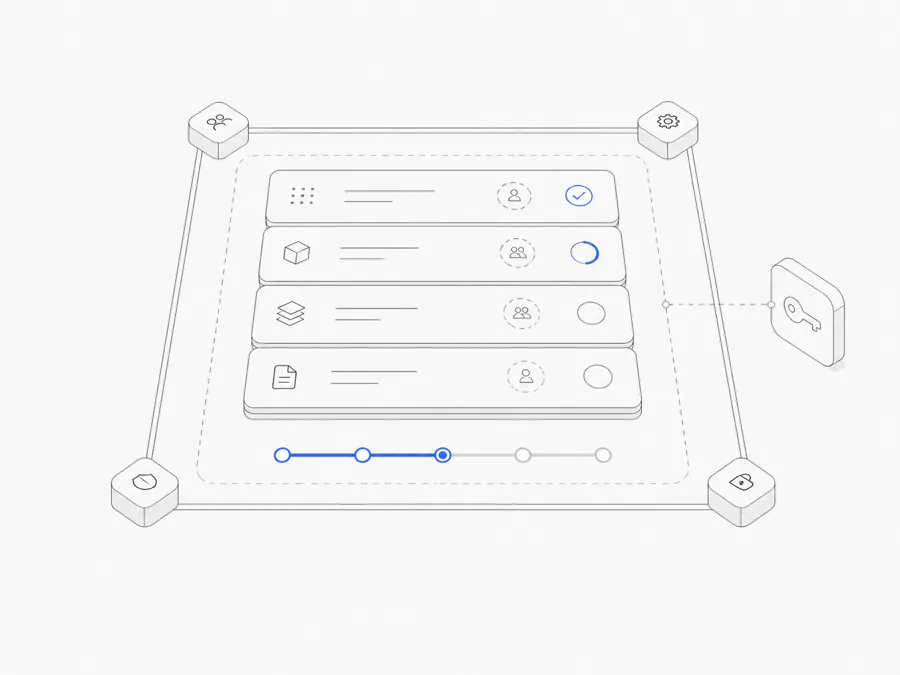
OpenCode permissions decide whether a matching action runs automatically, waits for your approval, or is blocked. In the current stable configuration, the three outcomes are:
allow: run the matching action without asking;ask: pause and request a human decision;deny: block the matching action.
A conservative starting point is to ask before writes and shell commands, allow only the read operations you understand, and deny clearly unwanted destructive or publishing actions. Then test the rules in a disposable or version-controlled project before reducing prompts.
That approach lowers accidental-action risk, but it does not create an absolute sandbox. Permission rules do not prove that an allowed command is correct, inspect business intent, replace code review, or recover lost data. They are one control in the wider execution environment.
If you have not connected the intended runtime yet, first install stable OpenCode in a controlled project and verify the provider and model OpenCode will use.
What allow, ask, and deny actually mean
The official permissions documentation applies actions to tools such as file reads, edits, shell commands, subagent tasks, web access, and paths outside the project.
The word “matching” is important. A rule can apply to a whole tool or to a more specific path, command pattern, URL, or subagent. The resulting permission depends on both the rule shape and its order.
An approval is also not a quality guarantee. Allowing git status does not make every Git command harmless. Allowing edits under one directory does not ensure the patch meets the requirement. Keep validation and review separate from authorization.
Do not rely on the defaults without reading them
As checked on August 27, 2026, stable OpenCode starts from relatively permissive defaults:
- most permissions default to
allow; external_directoryand the repeated-tool-call guard calleddoom_loopdefault toask;- file reads default to
allow, while common.envfiles are denied by default.
These defaults optimize for getting work done, not for every team's risk policy. They can also change. An explicit project policy is easier to review than an assumption about the installed version.
Do not weaken the .env protection merely because a task reports that it needs credentials. The safer question is whether the provider or command can receive the required secret through an approved credential store or environment without revealing it to the model or writing it to output.
A conservative stable OpenCode permission baseline
The following example uses the stable permission schema documented on August 27, 2026:
This is a teaching baseline, not a universal policy. It makes the intent visible:
- unknown actions ask;
- ordinary reads are allowed, with secret-like environment files denied;
- edits require a decision;
- two read-only Git inspection patterns are allowed;
- push and
rmpatterns are denied; - paths outside the project require approval.
Your actual project may need stricter read rules, different command names, or an organization-managed policy that overrides local configuration. Validate the installed version's schema before copying any example.
Rule order matters: the last matching rule wins
Stable OpenCode evaluates granular permission patterns in order, and the last matching rule wins. Put a broad catch-all first, then add narrower exceptions.
For example:
A command matching git push * also matches git *, but the later, more specific deny is the final result. Reversing the order could unintentionally let the broad rule override the restriction.
This pattern is useful, but it demands care:
- patterns are text matches, not an understanding of command intent;
- shell aliases, wrappers, scripts, and compound commands can change what actually runs;
- a narrow-looking command can still have large effects in the wrong directory or account;
- copied examples may not match the current parser or tool names.
Test the precise commands your workflow uses. Do not approve a broad prefix merely to stop repeated prompts.
Separate read, edit, shell, and external-directory access
“Repository access” is not one permission. OpenCode separates several capabilities so that a task can inspect a project without automatically receiving every execution right.
Read permissions
Read access can reveal source code, configuration, logs, credentials, or personal data. Allow the directories required for the task, preserve secret-file denies, and avoid launching OpenCode from a parent directory that contains unrelated projects.
Edit permissions
Edits cover file modifications, including write and patch operations. Requiring ask before edits creates a useful checkpoint, but you still need to inspect the resulting diff. For a read-only review Agent, set edit access to deny instead of relying on the prompt to say “do not change files.”
Shell permissions
Shell access can run tests and inspect state, but it can also publish, delete, install software, change infrastructure, or transmit data. Start with ask, allow only well-understood inspection or validation commands, and keep destructive or externally mutating actions denied unless a separate workflow explicitly requires them.
External-directory permissions
external_directory applies when a tool touches paths outside the project working directory. Allowing an external path makes it reachable, but the normal read, edit, and command rules still matter.
For example, a workflow may allow reading a shared reference directory while continuing to deny edits there. Do not grant an entire home directory merely because one file lives outside the project. Use the smallest trusted path that supports the task.
Use per-agent overrides for different jobs
The OpenCode Agents documentation allows Agent-specific permissions. Agent rules are merged with the global configuration and take precedence when they match.
That makes role-specific boundaries possible:
- a planning or review Agent can read and search but deny edits;
- a build Agent can ask before edits and test commands;
- a specialized documentation Agent can edit one content path while other writes remain denied.
The value comes from narrowing each job, not from creating many nearly identical configurations. A clear global baseline plus a few specific overrides is easier to audit than a large web of exceptions.
OpenCode currently includes primary Agents such as Plan and Build, but do not infer their exact permissions from their names. Inspect the current configuration and official docs. A custom override can change the behavior.
Understand the approval prompt
When a stable OpenCode permission resolves to ask, the current UI can offer outcomes such as:
- approve once;
- approve future requests matching suggested patterns for the rest of the current session;
- reject the request.
“Always” is not a permanent declaration that the operation is safe. It approves the suggested matching pattern for the session. Read that pattern before accepting it: a prefix may cover more commands or paths than the single action currently visible.
Use one-time approval when the action depends on current context. Use a repeated session approval only when you understand the generated pattern and expect the same bounded operation again. Reject an action when the target, side effect, account, or rollback path is unclear.
What OpenCode permissions do not replace
Permission rules should sit beside other safeguards:
Version control and rollback
Run write tasks in version-controlled or disposable projects. Review the diff, keep changes small, and know how to restore the exact files involved. Permission prompts cannot reconstruct untracked data after an allowed destructive action.
Environment isolation
Use separate development credentials, least-privilege cloud roles, test databases, and isolated workspaces. A denied command pattern cannot compensate for a process that already has excessive operating-system or cloud permissions.
Secret management
Keep API keys and credentials out of prompts, committed files, screenshots, logs, and shared transcripts. Permission rules reduce some reads; they are not a full data-loss-prevention system.
Human review and validation
An allowed patch can still be wrong. Require the repository's tests, type checks, linting, security checks, and human decision points appropriate to the change.
Provider and model review
The provider determines where model requests are processed and what account terms apply. Permissions govern tool actions in the harness; they do not redefine provider data handling.
How to test a permission policy
Use a small test repository with no sensitive data.
- Save the intended stable configuration and validate that OpenCode loads it without schema errors.
- Ask the Agent to read an ordinary source file; confirm the expected allow behavior.
- Ask it to read a dummy
.envfile; confirm the deny behavior without using real credentials. - Ask it to propose an edit; confirm that the edit waits for approval.
- Try the exact read-only shell patterns you allowed and a denied dummy command pattern.
- Reference a harmless file outside the workspace; confirm
external_directoryprompts. - Run the same checks with any Agent-specific override.
- Inspect the diff and command output before expanding an allow rule.
Record the OpenCode version and test date. Repeat the checks after an OpenCode upgrade or a material configuration change.
A practical permission policy for real work
The goal is not zero prompts. It is to place human attention where a mistake would have meaningful consequences.
- Allow narrow, repeatable reads and validation that you have inspected.
- Ask before writes, new command classes, external paths, installations, or account-sensitive actions.
- Deny actions that the workflow should never perform, especially destructive or publishing operations.
- Use per-agent overrides only when the role has a genuinely different job.
- Keep the operating system, repository, cloud account, and provider permissions independently constrained.
If you are deciding between a local process and a managed environment, compare local and cloud OpenCode environments separately. A cloud workspace changes the runtime boundary; it does not remove the need for explicit tool permissions.
OpenCode permissions are most useful when they are short, specific, tested, and paired with a rollback path. Start conservative, observe real prompts, and expand only the rules you can explain.
FAQ
What is the safest OpenCode permission setting?
There is no universal safest setting that is still useful for every workflow. deny blocks an action most strictly; ask keeps a human checkpoint; allow reduces friction. Start with the smallest access that completes a defined task and test it in an isolated project.
Does ask prevent OpenCode from changing files?
It prevents a matching action from proceeding until a human approves it. Once approved, the action can still change files, so inspect the target and resulting diff.
Why did a specific rule not override *?
Check rule order and the actual matched input. Stable OpenCode uses the last matching granular rule. Put broad rules first and more specific exceptions later.
Are .env files always protected?
The stable defaults checked on August 27, 2026 deny common .env reads while allowing .env.example. Explicit configuration or future versions can change behavior. Do not rely on the default as the only secret-control layer.
Can Plan and Build have different permissions?
Yes. Agent-specific rules can override the global baseline. Verify the effective current configuration rather than relying only on the Agent name.