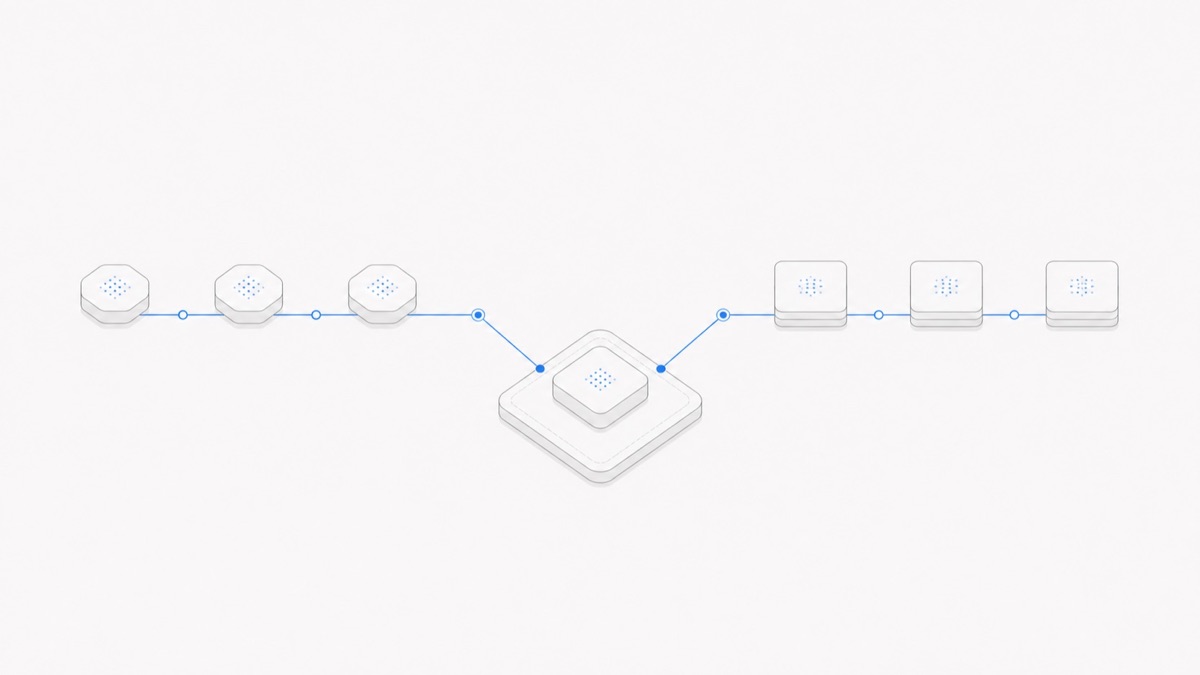
OpenCode can use models from many cloud providers, AI gateways, subscription services, and local runtimes. Its current provider documentation says the stable product uses the AI SDK and Models.dev to support more than 75 providers, including local models.
That does not mean every model in that wider ecosystem is automatically available in every OpenCode project. The practical answer comes from three checks:
- the provider is connected and enabled in the environment where OpenCode is running;
- the model appears in that project's
/modelspicker with an exactprovider/model-id; - the provider/model combination supports the tools, modalities, context, limits, and reliability your task needs.
This distinction matters because OpenCode is an agent harness, not a model catalog by itself. If the layers still feel interchangeable, read the difference between an agent harness and a model before choosing a provider.
Last verified: 2026-08-27. Provider count, model IDs, catalog entries, commands, and stable/v2 behavior can change. Confirm the current OpenCode documentation and your live
/modelspicker before relying on a combination.
OpenCode support is a live catalog, not a permanent list
A static “all supported OpenCode models” table would be obsolete quickly. Providers add and remove endpoints, model IDs change, access depends on credentials and accounts, and local runtimes expose whatever is installed on the current machine.
OpenCode therefore builds the usable catalog from several sources:
- provider integrations shipped with OpenCode;
- model metadata from Models.dev;
- providers and models added in your OpenCode configuration;
- credentials and subscriptions available to the current environment;
- local model runtimes that have been configured correctly.
The result is project-specific. A model visible on a provider's website may not appear in OpenCode until the right provider is connected. A model that appears on one developer's machine may be absent from a teammate's environment. A model available through two providers can also have different pricing, rate limits, latency, and parameter support.
The reliable question is not “Does OpenCode support Model X somewhere?” It is “Does my current OpenCode project expose the exact provider/model combination I intend to run?”
Understand the three layers: harness, provider, and model
These three names often appear together, but they do different jobs.
The same model family can be served by more than one provider. The same provider can expose many models. Changing either layer can change the result even when the visible model name looks similar.
This is also why “supports function calling” is not the same as “works reliably as a coding agent.” The model must emit usable tool calls, the provider must preserve the required request and response behavior, and the harness must translate those calls into the correct tools and recovery loop.
If your decision is between the harnesses themselves, compare OpenCode with Codex as agent harnesses across provider flexibility, authentication, permissions, runtime, and product surfaces instead of treating model access as the whole choice.
If the first-party alternative is Anthropic's harness, the Claude Code vs OpenCode comparison covers provider control, permissions, runtime, pricing, and migration cost.
How to see the models available in your OpenCode project
Start from the stable OpenCode installation you intend to use. If OpenCode is not installed or connected yet, follow the stable OpenCode installation guide first.
1. Connect an authorized provider
Inside the OpenCode TUI, run:
Select a provider and use an authentication route you are authorized to use. Provider-specific requirements differ: some accept an API key, some expose a subscription login, and local runtimes may depend on a process running on your machine.
If you intend to use OpenAI's subscription login instead of an API key, follow the separate guide to using a ChatGPT Plus or Pro subscription in OpenCode and verify the models shown to that account after authentication.
Do not paste a real key into a committed opencode.json, a screenshot, a public issue, or a shared transcript. Follow the current provider page for credential storage and account restrictions.
2. Open the model picker
After the provider is connected, run:
The picker is the best immediate evidence of what OpenCode can select in that environment. Copy the model identifier shown there instead of reconstructing one from a marketing name.
If the expected model is missing, check the provider connection, account eligibility, region, project configuration, and current official model catalog. Repeatedly guessing IDs does not make an unavailable model compatible.
3. Record the full model reference
Stable OpenCode identifies a model as:
The provider prefix is part of the selection. provider-a/model-x and provider-b/model-x are two routes, even when they lead to the same underlying model family.
4. Confirm with a bounded task
Visibility in /models proves selection, not production readiness. Give the model a small task that uses the capabilities you actually need: read several related files, call a safe tool, propose a patch, run one validation command, and stop at a defined acceptance condition.
Keep the repository state, prompt, tools, and acceptance test constant when comparing candidates. Otherwise, the result cannot tell you whether the model or another layer caused the difference.
Configure a default model without guessing its ID
The stable model documentation allows a default model in opencode.json:
Replace the placeholder with the exact reference from /models. Do not assume that a display name, API marketing name, and OpenCode catalog ID are identical.
Selecting a model for the current session and setting a default are different actions. A session selection can change without rewriting the config, while the config provides the default for future compatible sessions. OpenCode also allows an Agent or command to select its own model, so a specialized planning or review Agent can use a different model from the main execution Agent.
Model variants add another layer. A variant may change reasoning effort or another provider-specific setting, but variant names are not universal. Use the variants OpenCode exposes for the selected model instead of assuming every model has low, high, or max.
Which kinds of providers can OpenCode use?
The current stable provider directory includes several broad access patterns.
Direct model providers
These connect OpenCode to a model company's own API or authorized subscription path. The provider controls account eligibility, billing, rate limits, available models, and data handling.
AI gateways and routing providers
A gateway can expose models from multiple labs through one API. This can simplify billing or routing, but it adds provider-specific behavior. Two routes to the same model may differ in fallback policy, quantization, latency, supported parameters, and data controls.
OpenCode Go and Zen
OpenCode also offers its own optional provider products. Go uses a subscription allowance for a curated model pool, while Zen uses a pay-as-you-go balance. They are provider choices, not requirements for using the OpenCode harness. The separate OpenCode Go versus Zen guide covers that billing decision.
Local and custom providers
OpenCode documents local runtimes and OpenAI-compatible custom endpoints. A compatible HTTP shape is only the beginning: the configured model ID, context limit, output limit, modalities, and tool support still need to match the real server.
Local deployment can increase control over infrastructure and data flow, but it also makes the user responsible for hardware, runtime configuration, updates, throughput, and security. “Local” does not automatically mean fast, private, or correctly configured.
OpenCode model compatibility checklist
Before using a model for agentic coding, check each part of the contract.
Availability
- Does the provider connect successfully in the environment where the task will run?
- Does
/modelsshow the exact model reference? - Does the account have access in the intended region and billing plan?
Tool behavior
- Does the route support tool or function calling?
- Are tool arguments valid against the harness schema?
- Can the model recover from a tool error and stop after the acceptance condition is met?
Context and output
- Is the real context window large enough for the files and tool output the harness sends?
- Is the output limit sufficient for patches or structured results?
- Does the provider preserve streaming, reasoning, or structured-output fields used by the workflow?
Input modalities
- If the task includes screenshots or files, does the specific provider/model route accept them?
- Does the harness pass those inputs in the form that route expects?
Cost and limits
- What are the current input, output, cache, request, and tool charges?
- Are there rate, session, weekly, or monthly limits?
- What does a task that actually passes validation cost after retries?
Data and operations
- Where are prompts, files, and outputs processed?
- What logging or retention terms apply to the selected provider?
- Who owns credential rotation, incident response, and provider changes?
Passing all six checks does not guarantee quality. It establishes that the comparison is technically meaningful.
Common mistakes when choosing an OpenCode model
Treating every provider route as identical
Model names alone do not capture provider behavior. Record the full provider/model-id, not just the model family.
Copying a static list from an old tutorial
Use /models and the current official docs. A stale list can contain retired IDs, old pricing, or a beta-only configuration shape.
Mixing stable and v2 configuration
OpenCode has separately documented stable and v2 tracks. The examples in this article follow the stable root documentation checked on August 27, 2026. Do not copy plural v2 fields or opencode2 instructions into a stable opencode setup without deliberately migrating the whole configuration.
Assuming a large context window solves repository understanding
Capacity does not guarantee retrieval. File selection, search, instructions, compaction, and validation remain harness responsibilities.
Granting write access before checking the route
Start with a read-only or approval-gated task. Once the provider and model behave as expected, set OpenCode permissions before granting write access.
A practical selection process
Use a short, evidence-based process instead of asking for a universal “best OpenCode model”:
- Define one representative coding task and its acceptance command.
- Connect only providers you are authorized to use.
- Copy candidate IDs from
/models. - Verify required tools, modalities, context, and limits.
- Run candidates from the same repository state with the same permissions.
- Compare accepted-task quality, elapsed time, retries, and total cost.
- Save the chosen full model reference and the date of the decision.
OpenCode's broad provider support creates choice, not automatic compatibility. The durable answer is to verify the live catalog, preserve the provider/model distinction, and test the complete agent loop you intend to operate.
FAQ
Does OpenCode include its own model?
OpenCode is primarily an agent harness. It connects to model providers, including the optional OpenCode Go and Zen services, rather than making one bundled model the only way to use the product.
Can OpenCode use local models?
Yes. The official provider documentation describes local model support and custom OpenAI-compatible endpoints. Actual tool support, limits, speed, and quality depend on the model server and configuration.
Why does a model not appear in /models?
Common causes include a missing provider connection, account or regional access, an unavailable model, project configuration, or an incorrect provider/model assumption. Check the current provider docs and the exact environment instead of inventing an ID.
Can Plan and Build use different models?
OpenCode's Agent configuration can assign a model to an Agent, so specialized Agents can use different models. Verify current stable Agent syntax and choose only model references visible to the relevant environment.
Does OpenCode provider support mean Agent.Space supports the same model?
No. OpenCode's upstream catalog and Agent.Space's production compatibility are separate facts. Check the current Agent.Space model selector before assuming a provider/model combination is available there.