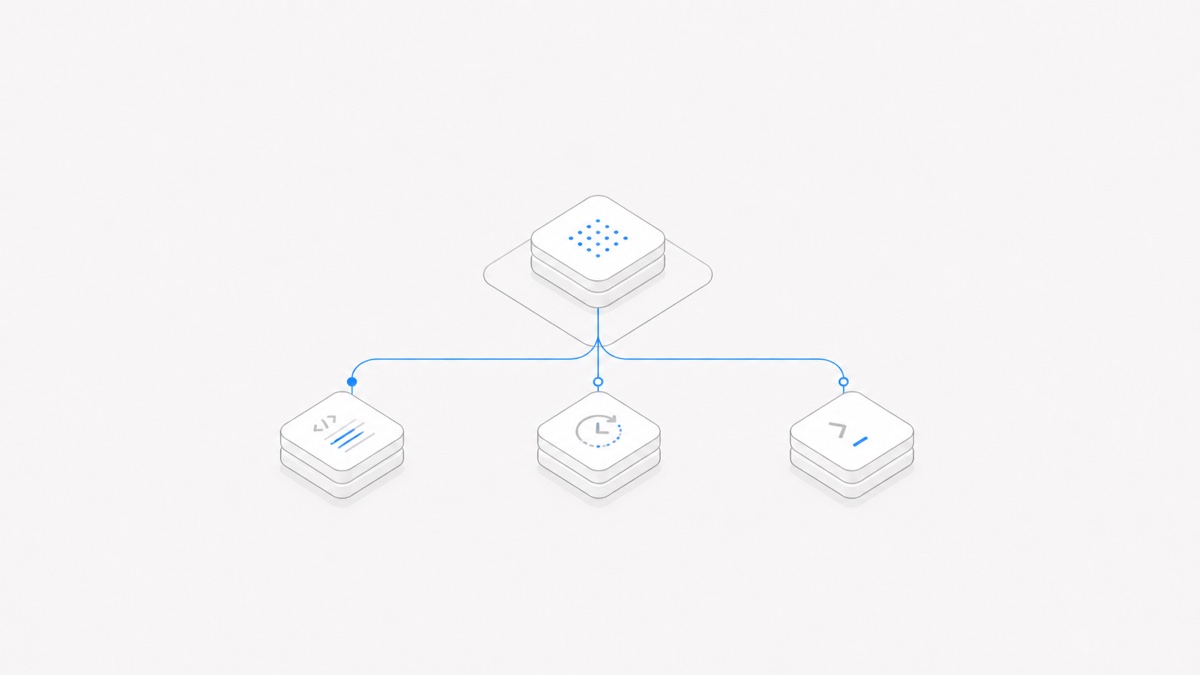
Use codex exec for a bounded script, CI job, or one-off background task. Use the Codex SDK when application code needs to start, continue, or resume coding-focused Codex threads. Evaluate codex app-server when the Agent is part of your product and your interface must directly handle threads, streamed events, interruptions, tools, and approvals.
That is the practical distinction in OpenAI's Codex platform guidance. The three interfaces expose the Codex harness at different levels; they are not three different models, and the most controllable option is not automatically the best one.
The short answer
If you are still deciding whether you need a model API or a complete execution loop, start with the Agent harness versus model distinction. This article assumes you have already decided to integrate the Codex harness.
What each Codex interface owns
The Codex harness manages more than a prompt. OpenAI describes it as the layer that carries conversation state, streams execution, uses tools, enforces configured sandbox and approval policies, and continues work across turns.
The integration choice determines how much of that lifecycle your host application—the software around Codex—needs to control directly:
execgives the host a command to run and an output to consume.- The SDK gives application code a higher-level programmatic interface to Codex threads.
- app-server exposes the underlying client protocol for applications that need to participate in the Agent lifecycle.
The model, billing route, and managed service remain separate decisions. Choosing app-server does not grant a different model, and choosing the SDK does not define where your repository or user interface lives.
MCP is another separate layer—it extends Codex with external tools and context without choosing the integration interface—so when that is your next requirement, configure MCP servers for Codex and verify the transport, scope, credentials, tools, and approvals.
Choose codex exec for bounded automation
OpenAI's non-interactive mode documentation positions codex exec for scripts and automation. It can emit a JSON Lines event stream with --json, return a final message, or produce schema-constrained output for a downstream step.
Good uses include:
- summarizing a CI failure;
- reviewing a repository in a controlled runner;
- drafting structured release metadata;
- running one scoped maintenance task on a schedule;
- placing an Agent step inside a shell pipeline.
The process boundary is an advantage when the job has a clear beginning and end. It is less convenient when a product needs a long-lived conversation, interactive approvals, or a rich view of every in-progress item.
Security settings still matter. The official docs say codex exec defaults to a read-only sandbox and recommend granting only the permissions an automation needs. A broader sandbox should be reserved for an isolated, controlled environment.
Choose the SDK for programmatic Agent workflows
The official Codex SDK documentation describes a server-side library for controlling local Codex Agents. The TypeScript library can start, continue, and resume threads; OpenAI also documents a Python SDK that controls a local app-server over JSON-RPC.
The SDK fits when your code needs to:
- create a coding task from an application event;
- continue the same thread with another instruction;
- resume a known thread later;
- incorporate Codex into an internal tool or service;
- keep business orchestration in ordinary application code.
It provides a simpler programming surface than implementing the app-server protocol yourself. Your application still owns the surrounding job record, authorization, retries, logs, and the mapping between a business object and a Codex thread.
Thread resume is useful, but it is not a complete persistence design. Decide what happens to files, processes, credentials, and review state as well as the conversation ID. The guide to persistent coding Agent sessions separates those layers.
Evaluate app-server when the Agent is part of your product
Evaluate app-server when users interact with the Agent through an interface your product owns. OpenAI's app-server documentation exposes a bidirectional JSON-RPC client protocol for threads, turns, streamed items, errors, approvals, user input, tools, and configuration. As of August 31, 2026, however, the documentation labels the app-server command experimental and unsupported for production workloads, so treat this as a prototyping and evaluation path until that status changes.
This level is appropriate when the product needs to:
- render live Agent activity rather than wait for one final result;
- interrupt an active turn;
- present command or file-change approvals in its own UI;
- scope events to the correct thread and turn;
- expose application-owned tools and react to their results;
- keep an Agent conversation open inside a domain-specific workflow.
The default stdio transport uses newline-delimited JSON, and WebSocket is a separate experimental transport. Using stdio does not make the experimental app-server command production-supported. Do not adopt it for production on the assumption that changing transports changes the interface's official support status or remote-security properties.
App-server gives a product team more control, but it also creates more responsibilities: protocol versioning, reconnect behavior, event ordering, pending approvals, overload handling, telemetry, and a UI that makes consequential actions understandable.
A migration path that avoids overbuilding
Start at the smallest layer that satisfies the job:
- Prove a bounded workflow with
codex execand machine-readable output. - Move to the SDK when application code needs reusable threads or richer orchestration.
- Prototype app-server only when the product genuinely needs direct lifecycle and user-experience control; wait for an official support-status change before treating it as a production interface.
This is not a mandatory ladder. A product with an Agent-native interface may begin by prototyping app-server, while a mature CI workflow may remain on exec indefinitely. The test is whether the extra control solves a named requirement without crossing the documented production-support boundary.
Before moving between layers, preserve the same representative tasks and acceptance checks. Compare tool results, file changes, approvals, failure handling, latency, and operator effort—not just whether the final text looks similar.
Security and operations questions before you commit
For any interface, answer these questions before production use:
- Which identity launches the Agent, and which repository can it access?
- What is the default sandbox, and who can broaden it?
- Which commands, file changes, network actions, or tools require approval?
- Where are thread IDs, event logs, and final results retained?
- How does an operator cancel, retry, or resume work without duplicating side effects?
- What happens when the host process, app-server, or network connection fails?
- How are SDK, CLI, and protocol versions tested before rollout?
Use the coding Agent workspace security checklist to turn those questions into explicit boundaries. Then choose the integration surface that exposes enough control without making your team own a protocol and user experience it does not need.
For a bounded job, begin with codex exec; for programmatic thread workflows, use the SDK; for an Agent embedded in a product, evaluate app-server. You can review the Agent surfaces available through Agent.Space separately from this Codex integration decision.