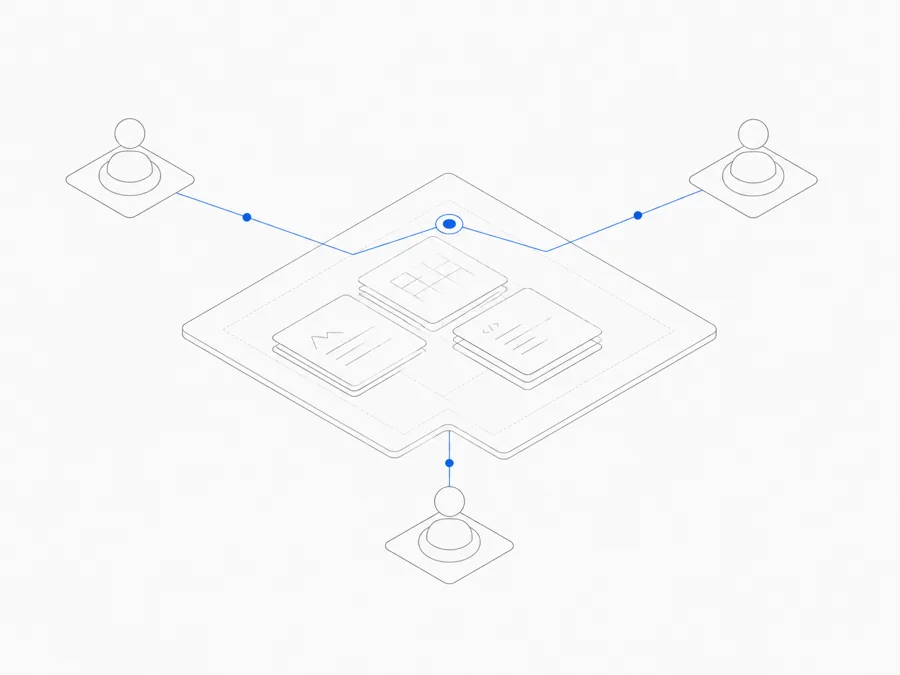
OpenCode Skills are reusable instruction packages stored as SKILL.md files. Stable OpenCode discovers Skills from supported project or user directories, exposes their metadata, and loads the full instructions on demand through its built-in skill tool under configurable permissions. The paths and schema in this guide come from OpenCode’s official Agent Skills documentation.
A Skill is useful when a task has a repeatable method: reviewing a change, preparing a release note, investigating a failure, or applying project-specific rules. It should tell the agent how to work, what evidence to gather, and where to stop. It is not an external server, a model, or a guarantee that arbitrary code is safe to execute.
This guide covers stable OpenCode v1. OpenCode v2 remains a separate beta track; do not copy v2-only paths or behavior into the examples below.
What are OpenCode Skills?
A Skill is a folder whose main instruction file is named SKILL.md. The file begins with YAML frontmatter—small structured fields between --- markers—and continues with the instructions and resources the agent should use.
The stable OpenCode lifecycle is:
- OpenCode searches supported Skill directories.
- It reads enough metadata to know which Skills exist and what they are for.
- When a task needs one, the built-in
skilltool can load the Skill’s full instructions. permission.skilldetermines whether loading a matching Skill is allowed, denied, or requires approval.- The agent follows the loaded instructions within its existing tool and data permissions.
That last point is important. A Skill can describe commands, scripts, references, or tools, but it does not create a separate security boundary. Review everything the Skill asks the agent to access or execute.
Skill versus a saved prompt
A saved prompt is usually text you paste or invoke directly. A Skill has discoverable metadata, a conventional file structure, and instructions that OpenCode can load on demand. It is better suited to a reusable operating method than a one-off request.
Skill versus agent configuration
Agent configuration defines broader behavior, models, permissions, or tools. A Skill should stay narrower: one repeatable job with a clear trigger, workflow, evidence requirement, and output.
Skill versus MCP
A Skill packages instructions and supporting resources. MCP connects the client to external tools or data through a server. A Skill may explain when to use an MCP tool, but the Skill is not itself the server or connection. The full setup belongs in the separate OpenCode MCP guide.
Where does OpenCode look for Skills?
The current official docs list six compatible discovery locations:
For project paths, OpenCode walks upward from the current working directory to the Git worktree and discovers matching Skills along that path. Use the project scope when the workflow belongs to one repository; use the user scope only when the workflow is genuinely personal and reusable.
Choose the narrowest useful scope
Use a project Skill when the workflow depends on repository rules, commands, architecture, or review practices. Use a user Skill for a personal method that contains no project secret and makes sense across repositories. Move a Skill into a shared workspace only after the team agrees on its owner, review path, and permission policy.
Create a minimal valid SKILL.md
The folder and Skill name should express one job. This example uses a project-level Skill at:
The example below uses the required name and description fields from the official schema. In a local check on August 26, 2026, OpenCode 1.18.23 discovered a separate minimal Skill at .opencode/skills/release-check/SKILL.md through opencode debug skill. That verifies discovery in one local environment, not every third-party Skill or configuration.
Why this example is narrow
It has one trigger, one workflow, explicit boundaries, and a defined output. It does not claim to review every language, install software, contact an external system, or execute a bundled script. That makes discovery and permission behavior easier to validate.
Keep the frontmatter within the official constraints: the name must use lowercase letters, numbers, and single hyphens; it must match the containing directory; and both name and description are required. A plausible Markdown file is not enough—run discovery in a disposable project.
How OpenCode discovers and loads a Skill
Stable OpenCode uses the built-in skill tool to load Skills on demand. Discovery and loading are separate steps:
- Discovery means OpenCode can see valid metadata for a Skill in a supported directory.
- Loading means the
skilltool reads the instructions for use in the current task. - Execution means the agent follows those instructions using whatever tools and permissions it already has.
A useful smoke test should observe all three rather than stopping after file creation.
Minimum discovery test
- Confirm the binary is stable
opencode, not betaopencode2. - Put the example in one current, officially supported directory.
- Start a fresh test Session in the intended project.
- Confirm that the Skill metadata is discoverable through the current stable behavior.
- Give a task that clearly matches the description and observe whether the built-in
skilltool loads the expected file. - Confirm that the output follows the Skill boundaries without claiming actions that were not performed.
The local 1.18.23 smoke test completed the discovery step for a minimal project Skill. It did not test broad permission policies, third-party scripts, or shared-workspace behavior. If you capture output, remove usernames, private paths, project names, and credentials.
Avoid naming collisions
Two Skills with the same name across project and user locations can create ambiguity. The exact precedence and collision behavior must come from the current stable docs and a smoke test; do not guess which one wins. Prefer distinct, task-specific names and keep one authoritative copy when possible.
Control Skill access with permissions
Stable OpenCode supports permission.skill rules that match Skill names and set allow, deny, or ask.
- allow lets a matching Skill load without another approval step.
- deny prevents it from loading.
- ask requires approval before loading.
Start with the least privilege that still supports the workflow. A new or third-party Skill should normally be reviewed before it is broadly allowed.
This is an intentionally narrow configuration fragment for the example Skill:
This fragment follows the documented permission.skill shape. Place it in the current stable configuration context, validate the complete JSON, and observe the approval behavior in a disposable project before broad use. Do not adopt a broad wildcard policy until rule matching and precedence have been tested.
Permission to load a Skill is not permission for every action described inside it. Shell commands, network access, file writes, MCP tools, and provider credentials remain governed by their own controls.
Project Skills, personal Skills, and shared workspace Skills
Project Skills
Keep them with the project when they encode repository-specific facts. Review changes to the Skill like code: require an owner, inspect scripts and references, and explain why a new permission is necessary.
Personal Skills
Use them for a method that applies across projects. Do not put employer secrets, customer data, private URLs, or reusable credentials in the Skill simply because the directory is under a user account.
Shared workspace Skills
OpenCode's upstream support for Skills does not automatically mean that every Skill can be installed, synchronized, or loaded by every harness in Agent.Space. Use the current Agent.Space product interface and public product pages to see which shared-Skill controls are available.
Before depending on a shared Skill, confirm that the product provides a documented way to add or remove it, that the selected harness can load it, and that collaborators can see the intended version and permission prompts. If those controls are not shown, do not assume the upstream OpenCode workflow is supported in the managed workspace.
Do not copy a local Skill into a shared workspace until its scripts, references, data access, and ownership are appropriate for every intended user.
OpenCode Skills vs MCP
Use a Skill when the main requirement is repeatable instructions and resources. Use MCP when the main requirement is a live connection to an external tool or data source.
Do not embed a token in SKILL.md to turn instructions into an integration. Configure the external connection through its supported secure path, then let the Skill refer to the tool by purpose rather than secret.
Stable OpenCode vs v2 Skills
This article covers stable OpenCode and its built-in skill tool, stable discovery paths, and permission.skill behavior.
OpenCode v2 remains a separate beta track. A v2 Skills page can be useful for evaluating the beta, but it is not evidence that stable uses the same path, schema, discovery order, or permission behavior. Keep the binaries and documentation sets separate:
- stable:
opencodeand stable documentation; - v2 beta:
opencode2and v2 documentation.
Before following a v2 example, confirm whether v2 is still beta and whether any behavior has moved into stable. Update your configuration only after a stable test, not by copying a beta example.
Security checklist before installing a third-party Skill
Treat a third-party Skill as code-adjacent content, even if the main file is Markdown.
- Read the full
SKILL.md. Look for hidden scope expansion, destructive actions, data uploads, credential requests, or instructions to ignore project rules. - Inspect every bundled script and executable. Do not assume a popular pack is safe or maintained.
- Inspect references and linked resources. Confirm origin, update policy, and whether they contain untrusted instructions.
- Review requested tools and permissions. A writing Skill should not silently need shell, network, broad file writes, or production credentials.
- Check data boundaries. Remove secrets, customer data, private endpoints, and internal identifiers before sharing.
- Pin ownership and updates. Know who reviews upstream changes and how the team rolls back a bad update.
- Test in a disposable project. Observe discovery, loading, approval, actions, and output before broader use.
No marketplace badge or download count replaces that review.
Start with one narrow Skill
Create one Skill with one job, put it in one officially supported directory, keep its permission at ask, and test whether stable OpenCode discovers and loads it as documented. If the CLI itself is not ready, complete the OpenCode installation guide first. For a persistent environment, compare the OpenCode cloud Workspace guide and Agent.Space Workspace separately. Expand the Skill only after its trigger, instructions, actions, and output are observable.
That lifecycle—create, place, discover, load, authorize, and verify—is the reliable way to use OpenCode Skills. It also creates a clear boundary for deciding later whether the Skill should stay in one project, remain personal, or move into a shared workspace.
Next step
Create one narrow Skill, keep its first load behind ask, and verify discovery before sharing it. Then compare the same task with OpenCode MCP if it needs a live external tool rather than reusable instructions.