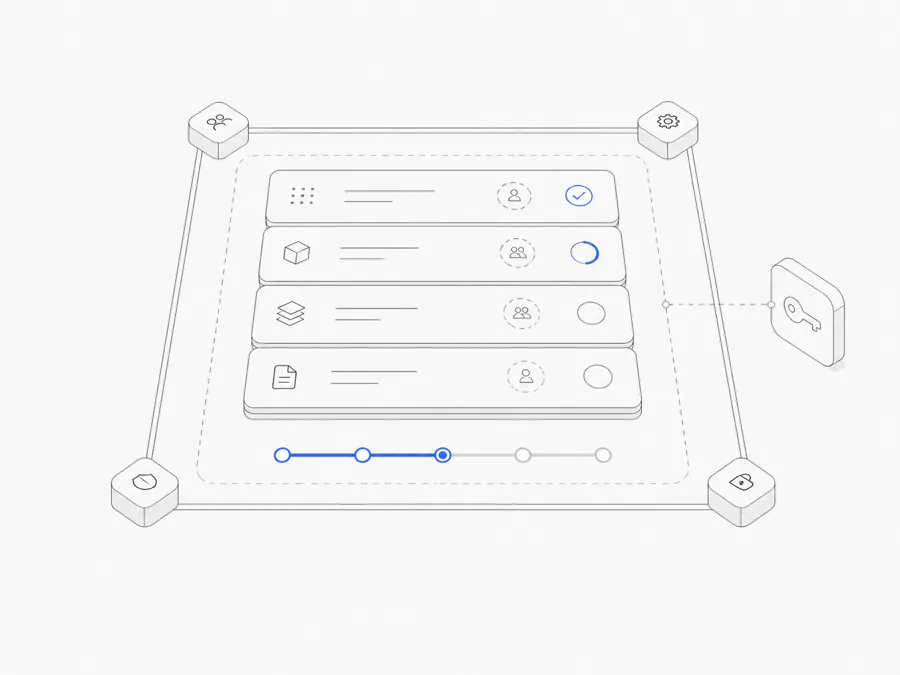
Preview, publish, and export solve three different problems in a coding Agent Workspace.
- Use a Preview to inspect work while it is still changing.
- Publish a supported website when reviewers need a stable web address and a managed Release.
- Download or export an ordinary file when the deliverable should leave the Workspace in its file format.
The right choice depends on what you are trying to prove. A Preview helps answer “does this look and behave as expected?” A published site answers “which web Release should this stable URL serve?” A downloaded file answers “what artifact are we handing over?” None of the three, by itself, proves that the work is correct, secure, or production-ready.
Preview, publish, and export at a glance
The three paths can be used together. A team might inspect source and Preview first, publish an approved web Release, and also download the files required for the handoff.
If you are comparing this process with another agent builder, review the Grok Build web and mobile publishing workflow separately because its publishing, export, and device surfaces follow a different product contract.
Use Preview for work that is still changing
Agent.Space can open supported files in the Workspace Inspector and render supported output in a browser Preview. This shortens the loop between an Agent change and human review: inspect the file, look at the rendered result, leave a precise follow-up task, and check the next revision.
A Preview is most useful for:
- checking layout, copy, navigation, or a visual state;
- comparing the rendered result with the task brief;
- finding a concrete issue before creating a stable release;
- letting a teammate review current work without rebuilding it locally; or
- verifying that a development service starts and responds as expected.
Preview still has boundaries. Some formats cannot be rendered in the browser. A rendered file may omit behavior that depends on a backend, credentials, or another external service. A Runtime Preview can be temporary and can outlive or end independently from the Workspace process that created it, depending on the delivery path.
Most importantly, Preview is evidence for review—not a substitute for source inspection, tests, access checks, or a release decision.
Publish when you need a stable website Release
For supported web output, Agent.Space Web Delivery can create a permanent Site. The Site keeps a stable URL and points to an immutable Release. Publishing a later revision can update that Site, and Release history can provide a rollback target.
This is useful when:
- a reviewer needs a URL that is not tied to one open Workspace Session;
- an approved static or supported web result should remain available;
- the team needs a clear distinction between the current Release and an earlier one; or
- a previous Release must be restored after a bad update.
A stable URL is an operational convenience, not a blanket production guarantee. Before publishing, check the actual deployment inputs, source directory, commands, health check, client-side routes, assets, and any external dependency the result needs. A site that renders one page correctly may still have broken forms, missing authentication, exposed secrets, or unavailable backend functions.
Publishing also should not be used as the first review step. Review the source and Preview before making the result broadly available. If publishing fails, the current stable site should remain the reference point rather than treating a failed attempt as a new Release.
Download or export when the file is the deliverable
Sometimes the output should not be a website. A report, source file, spreadsheet, image, presentation, or configuration may need to be reviewed in another tool, committed to a repository, stored under a separate retention policy, or delivered to someone outside the Workspace.
In that case, download the relevant ordinary file. This preserves the artifact as a file; it does not package the Runtime, reproduce every dependency, or turn the file into a hosted service.
Before handing it over:
- open the downloaded file in its intended destination tool;
- confirm the name, format, and content match the reviewed Workspace version;
- remove secrets, temporary data, or private notes that should not leave the Workspace;
- include supporting files when the artifact depends on them; and
- record which revision or Session produced it.
For a code project, version control is usually a better history mechanism than repeatedly downloading disconnected copies. Export remains useful for a specific deliverable or a recipient who needs ordinary files.
A practical review workflow
Use the following sequence for a web or file-based Agent task.
1. Review the task boundary
Return to the acceptance criteria. Confirm what the Agent was asked to change and what it was told not to change. A polished Preview of the wrong scope is still the wrong result.
2. Inspect the saved files
Read the changed source, not only the Agent's summary. Look for unrelated changes, placeholder data, missing error states, secrets, and assumptions that are not represented in the project.
3. Open the appropriate Preview
Use a file Preview for the artifact itself and a browser or Runtime Preview for interactive web behavior. Check the important states, viewport sizes, routes, and failure cases that matter to the task.
4. Run the relevant validation
Use the project's real checks: tests, type checks, linting, build, accessibility review, content QA, or another domain-specific gate. Record what was not run.
5. Choose the delivery path
- Keep using Preview if the work still needs iteration.
- Publish a supported web Release if a stable link is the intended output.
- Download the ordinary files if the artifact must move to another system or person.
6. Leave a handoff record
Identify the reviewed artifact, validation result, live or temporary link, known limitations, and rollback path. The coding Agent team handoff guide provides a fuller checklist for transferring ownership.
Common mistakes to avoid
Treating Preview as deployment
A temporary Preview is designed for inspection. It may expire or be revoked, and it should not be the only location of a result that must remain available.
Publishing before reviewing source
A webpage can look correct while containing unrelated changes, unsafe configuration, accessibility problems, or broken states. Visual review is one layer, not the whole gate.
Assuming every output can be Previewed
Browser rendering support varies by file type and content. If the Inspector cannot render an artifact safely, download it and review it with the appropriate trusted tool.
Downloading one file without its dependencies
An HTML file may reference assets; a code file may rely on a package and configuration; a report may link supporting data. Define the real deliverable before exporting.
Calling a stable URL “production-ready”
A published Site has a stable delivery model and Release history. Production readiness still depends on the application’s security, reliability, data, compliance, monitoring, and external integrations.
Choose the action that matches the review question
Agent.Space keeps project files, Sessions, and review context together, as described in how Agent.Space works. The output path should remain explicit:
- Preview to evaluate work in progress.
- Publish to serve an approved, supported web Release at a stable URL.
- Download to move an ordinary file to its next owner or tool.
If this is your first task, follow the first Agent.Space project tutorial before choosing a delivery path. Then explore the Workspace, review one bounded output from source to rendered result, and select Preview, publish, or export based on what the next person actually needs.